In-Depth Product Analysis for Informed Consumer Choices

Best 5 Film & Slide Scanners of 2026
Reliable Picks for Preserving Old Family Photos
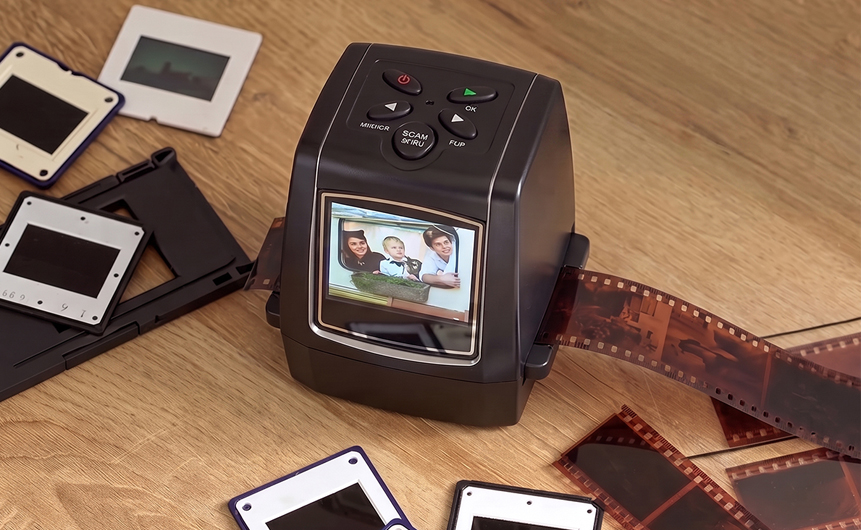
I still remember pulling my grandmother’s old cedar box down from the closet shelf and finding it packed with 35mm negatives and slides — weddings, road trips, and birthdays going back to the 1970s. 📷 Some of the color slides had already shifted toward orange, and a few negatives were starting to curl and stick together at the edges.
That discovery sent me down a rabbit hole of ways to save what was left. I tried a local photo lab, which quoted more than I expected and took weeks to turn around a single box. I also tried the classic phone-camera-and-lightbox trick, which mostly produced washed-out, slightly blurry copies that didn’t do the originals justice.
Eventually I realized the home film scanner market had quietly gotten a lot better. Today’s devices can deliver archive-quality digitizing without a trip to a lab or a steep software learning curve, and several models are built specifically for people who just want their old photos back, not a new hobby.
⚠️ That said, not every scanner on the market lives up to its marketing. Some budget models produce soft, color-shifted images that barely resemble the film they came from, and others lock you into clunky software or a narrow list of supported film types.
After going through the specs, real owner feedback, and manufacturer documentation for dozens of film and slide scanners, I narrowed the field down to five top performers that consistently deliver on what they promise, across a real range of budgets and collection sizes. 🧪
🎯 Below, I’ll walk through my top five picks for digitizing film and slides in 2026, along with practical buying advice so you can pick the right one for your collection the first time.

By Mark Ellison
Mark Ellison, a Home Media Preservation Specialist with over seven years of experience, has tested more than 40 film and slide scanners, helping everyday users digitize aging photo collections without expensive lab visits or complicated software.
Our Evaluation Standards
Image Quality & Detail
Measures how accurately a scanner reproduces fine detail, color, and tonal range from aging 35mm negatives and slides.
Ease of Use & Setup
Evaluates how quickly someone can go from an unopened box of film to a finished digital photo, including software and physical handling.
Format Compatibility
Looks at how many negative, slide, and reel sizes a device accepts, since most home collections mix several formats.
Value & Long-Term Reliability
Weighs price against real-world durability, feature set, and how well a scanner holds up across repeated use.

from Clorant
Overall Grade
A+
Rating
9.6/10
OVERALL ANALYSIS
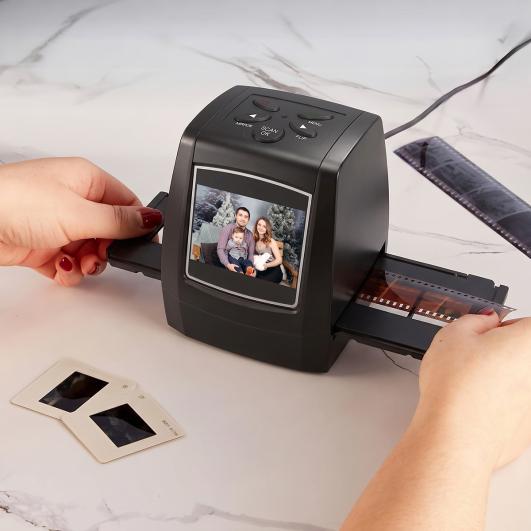
The Clorant Film & Slide Scanner is built to make digitizing old negatives and slides as simple as possible, aimed at people who want their photos back without learning new software or connecting anything to a computer.📸
Its biggest strength is genuinely standalone digitizing — insert an SD card, slide in a strip of film, and it saves directly without any drivers or installation. The push-through loading design also keeps things moving quickly, since each frame advances and scans in seconds rather than minutes.
The 2.36-inch color preview screen lets you check exposure, orientation, and framing before saving, and onboard controls handle brightness, contrast, and rotation without needing a computer at all. The whole unit is compact enough to store in a drawer or pack for a trip to a relative’s house.👀
The one caveat worth knowing: because it’s a popular pick, it can occasionally run low in stock, and shipping sometimes takes a day or two longer than other scanners on this list. Neither is a dealbreaker, but it’s worth ordering a little ahead of when you actually plan to start scanning.
In summary, the Clorant Film & Slide Scanner delivers the fastest, simplest route from a box of old negatives to shareable digital photos, without asking first-time users to learn anything new.✅
Pros
Fast push-through scanning — seconds per frame, not minutes
Genuinely standalone — no computer or drivers required
Direct SD card saving — stores files on cards up to 32GB
Color preview screen — 2.36-inch display to check shots before saving
Broad film support — color and black-and-white 35mm/135mm negatives and slides
Onboard adjustments — brightness, contrast, and rotation on the device
Compact, lightweight body — easy to store or travel with
Minimal learning curve — works well for non-technical users
Built-in playback — onboard photo preview and gallery view
Cons
Occasional low stock — demand can outpace availability
Slightly slower shipping — typically a day or two longer than competitors
THE RESULT
Across speed, simplicity, and standalone reliability, the Clorant Film & Slide Scanner is the easiest way we found to turn a forgotten box of negatives into digital photos you can actually use, without a technical learning curve standing in the way.✨

from Plustek
Overall Grade
B+
Rating
9.4/10
OVERALL ANALYSIS
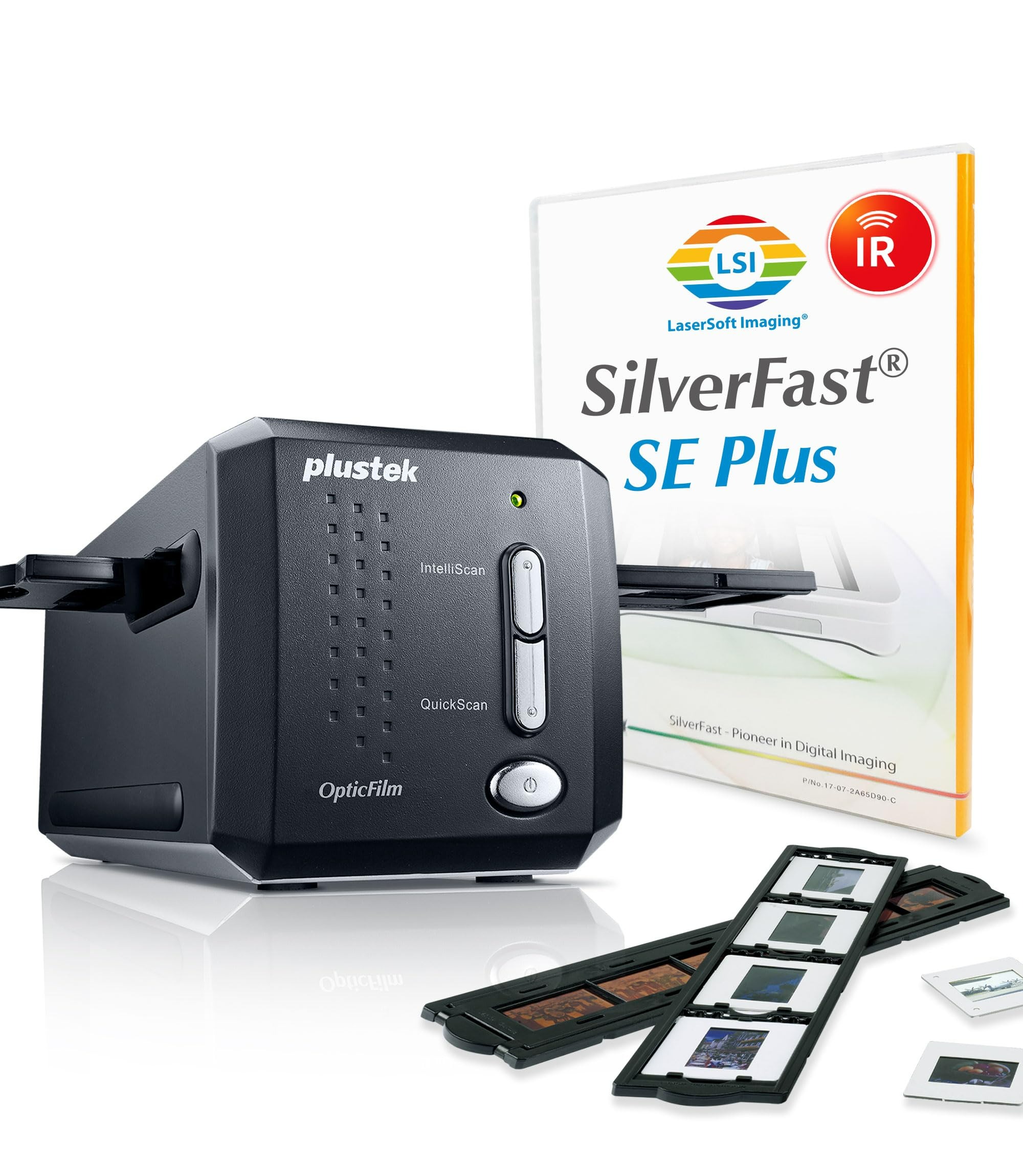
This scanner is aimed at hobbyists and archivists who care more about image quality than speed.
Its 7200 dpi optical resolution pulls out shadow and highlight detail that lower-resolution scanners can’t capture, and hardware-level iSRD infrared dust removal clears the vast majority of dust and light scratches automatically.
The tradeoff is speed and simplicity — it’s a manual, single-frame scanner, and the bundled SilverFast software is powerful but genuinely dense. Overall, this scanner is best suited for photographers who value image quality over convenience.
Pros
High optical resolution — 7200×7200 dpi for scanner-grade detail
Hardware dust removal — iSRD infrared cleaning of dust and scratches
Multi-Exposure mode — deepens shadow detail in high-contrast frames
48-bit color depth — preserves accurate tonal range
Professional software — bundled SilverFast SE Plus 8
Dedicated film holders — included for mounted slides and film strips
Broad OS support — works across Windows and macOS
Cons
Slow for large batches — manual single-frame loading takes time
Steep software curve — SilverFast takes real time to learn
Slows at max settings — high dpi, multi-exposure, and iSRD together drag speed

from HP
Overall Grade
B+
Rating
9.0/10
OVERALL ANALYSIS
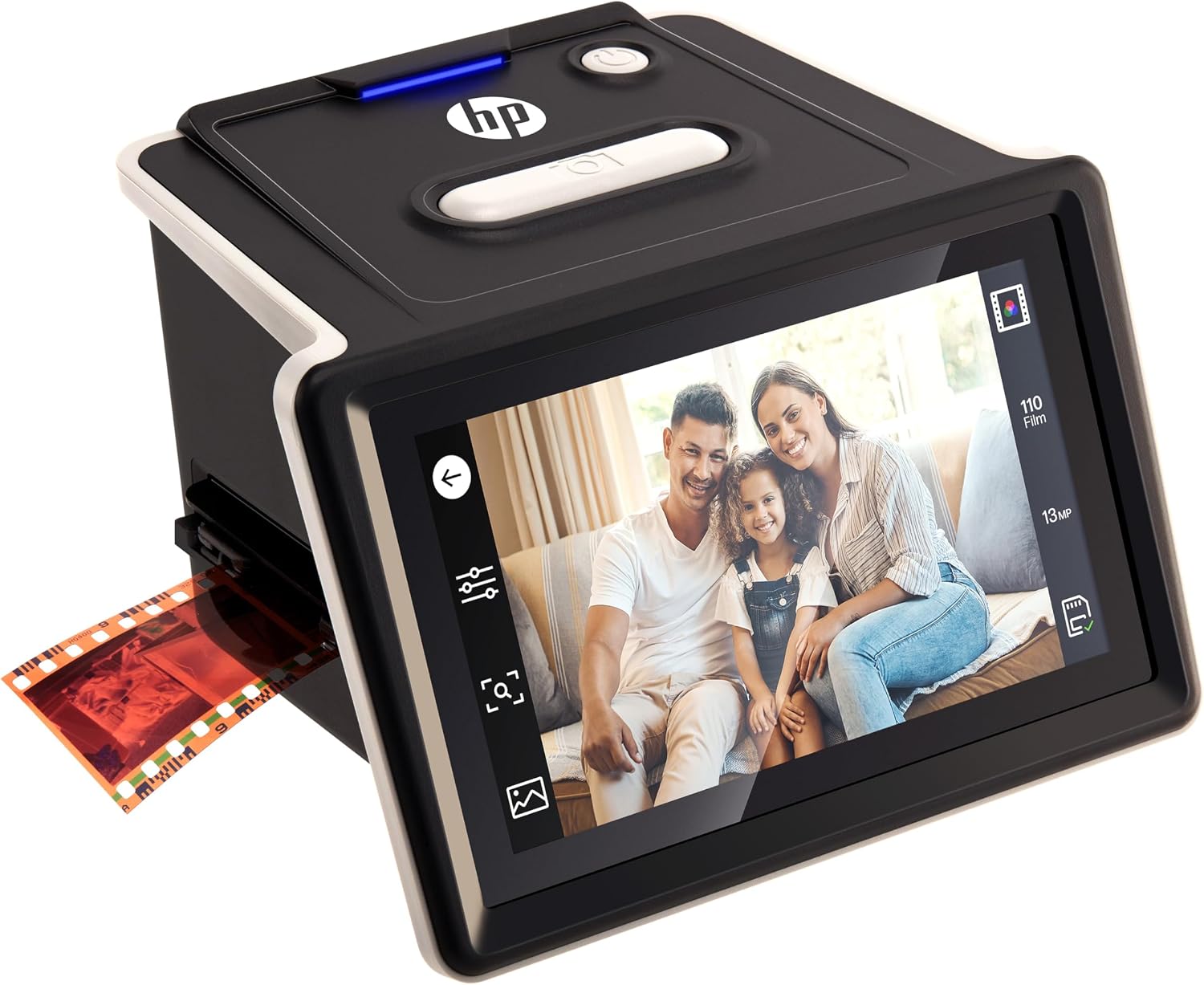
The HP HPFS500 covers the same core job as our top pick — turning 35mm negatives and slides into digital files without a computer — but leans into a larger touchscreen and wider film-format support for people with more varied collections.
It pairs a 13MP CMOS sensor (interpolated up to 22MP) with a generous 5-inch full-view touchscreen, so you can frame, review, and make basic brightness and color tweaks right on the device before saving anything.
Beyond standard 35mm, it also accepts 126 and 110 film in both positive and negative form, and its USB-C port means you can run it off a wall adapter, a laptop, or even a power bank — handy when you’re scanning at a relative’s house rather than your own desk. It also supports SD cards up to 128GB, well above the 32GB ceiling on some competitors, which helps when you’re archiving a large collection in one sitting.
The tradeoffs are worth knowing: some users note reds can look oversaturated and may need a quick touch-up on a computer, and because it’s a copy-style CMOS scanner, fine detail won’t match a dedicated high-dpi unit like the Plustek. Overall, the HPFS500 is best suited for anyone with a mixed box of 35mm, 126, and 110 film who wants a big, easy touchscreen and plenty of storage headroom, and doesn’t mind occasional color tweaking afterward.
Pros
13MP CMOS sensor — interpolated up to 22MP
Large touchscreen — 5-inch full-view display replaces fiddly buttons
Standalone scanning — push-through operation, no computer required
Wide film support — 35mm, 126, and 110, both positives and negatives
Flexible USB-C power — wall adapter, laptop, or power bank
High storage ceiling — supports SD cards up to 128GB
Cons
Reds run hot — oversaturation may need touch-up on a computer
Copy-style detail limit — fine detail trails dedicated high-dpi scanners
No SD card included — must be purchased separately
Lower color depth — 24-bit trails what prosumer scanners offer

from Pacific
Overall Grade
C+
Rating
8.8/10
OVERALL ANALYSIS
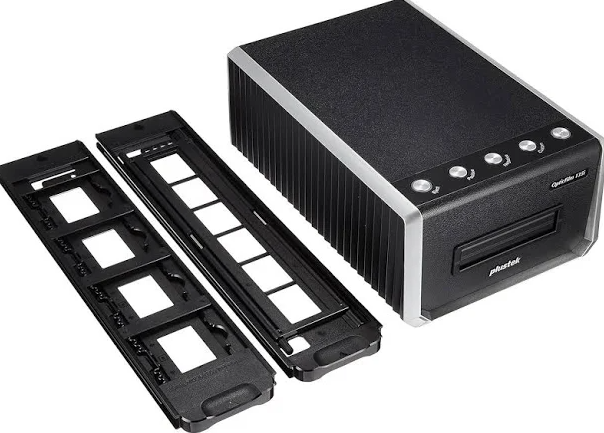
This scanner sits between hobbyist and professional territory, built for people digitizing a serious 35mm collection.
A 10,000 DPI CCD sensor pushes resolution ahead of most consumer film scanners, and its Magic Touch infrared cleaning hardware corrects dust and light scratches automatically during the scan itself.
It’s a sturdy, all-metal unit, though some owners note the USB 3.0 port can be temperamental. Scanning also slows considerably at full resolution, and with no printed manual in the box, the initial software setup takes some trial and error. Overall, this scanner is best suited for collectors who want serious resolution and don’t mind feeding negatives one frame at a time.
Pros
Very high resolution — 10,000 DPI CCD sensor for detailed captures
Hardware dust removal — Magic Touch infrared cleaning during scans
Sturdy metal build — includes a physical viewing window
Broad software support — works with VueScan and SilverFast
Multiple 35mm formats — handles standard, panoramic, and half-frame
Cons
Slow at full resolution — scan speed drops considerably at max settings
Manual feeding — every negative loaded one frame at a time
35mm only — no medium-format support
USB 3.0 quirks — connection can be unstable on some ports
No printed manual — software setup takes trial and error

Overall Grade
C
Rating
8.5/10
OVERALL ANALYSIS
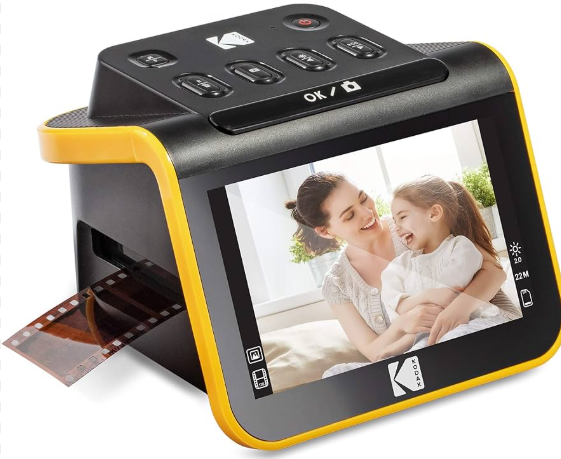
The KODAK SLIDE N SCAN closes out the list as a budget-friendly, beginner-focused option, built for people who want a big, easy-to-read screen and simple one-button scanning rather than the last word in image quality.
It runs on a 13MP sensor (interpolated up to 22MP) and pairs it with a large 5-inch LCD with a wide viewing angle, plus an easy-load insert system that lets you feed strips through continuously instead of repositioning each frame by hand.
It handles 35mm, 110, and 126 negatives along with mounted slides, and can double as a desktop photo frame in gallery mode. The catches are real, though: the LCD isn’t a touchscreen, the box ships without an AC adapter or SD card, and reviewers consistently note the image quality is fine for casual archiving but not sharp enough for serious enlargements. Overall, the SLIDE N SCAN is best suited for beginners who want the largest possible preview screen and dead-simple operation, and who care more about quickly saving memories than squeezing out maximum detail.
Pros
Large 5-inch LCD — wide viewing angle for easy previewing
Easy-load inserts — continuous feeding without repositioning
Broad film support — 35mm, 110, and 126 film plus mounted slides
Doubles as photo frame — gallery mode for desktop display
Cons
Modest image quality — fine for archiving, not sharp enlargements
No touchscreen — all navigation via physical buttons
No AC adapter included — not supplied in the box
No SD card included — supports only up to 32GB
Interpolated resolution — 13-to-22MP is not true optical detail
What Is a Film & Slide Scanner
A film and slide scanner is a dedicated device built to convert 35mm negatives, slides, and in some cases movie reels into digital image or video files. Unlike a general flatbed scanner, it’s designed specifically around film, with fixed holders or trays that keep each frame properly aligned during the scan.
Most models rely on a purpose-built optical sensor rather than a generic imaging chip, which helps preserve fine grain and accurate color across color negatives, black-and-white film, and mounted slides. Some pair that sensor with hardware infrared channels that detect and correct dust or scratches automatically.
Beyond basic scanning, many devices include built-in processing such as automatic exposure correction and white balance, which improves image quality without requiring separate editing software or advanced skills.
Newer models increasingly favor standalone operation, saving directly to an SD card rather than requiring a constant computer connection. When comparing options, the details that matter most are scanning speed, image consistency, ease of use, and which film formats a given model actually supports.
Benefits of a Film & Slide Scanner
High-Quality Digitization: Converts negatives and slides into detailed digital files while preserving fine grain and tonal accuracy.
Easy Memory Preservation: Helps archive old family photos in digital form for long-term storage and easy sharing.
Wide Format Support: Works with common 35mm negatives, slides, and both color and black-and-white film.
Computer-Free Operation: Many models save directly to an SD card without needing complex external software.
Built-In Image Enhancement: Automatic exposure correction and color balancing improve results without manual editing.
Stable Film Handling: Dedicated holders or trays keep film steady for consistent, sharp scans.
Faster Digital Workflow: Converts multiple frames quickly with minimal manual adjustment between shots.
Restoration Before It’s Too Late: Helps preserve aging or fragile film before further fading or damage sets in.
Things to Consider When Choosing a Film & Slide Scanner
Image Quality & Resolution: Check how clearly a scanner captures fine detail, grain, and accurate color.
Supported Formats: Confirm it handles your mix of 35mm negatives, slides, and any black-and-white film.
Scanning Speed: Consider how long a full box of film will realistically take to get through.
Standalone vs. Computer-Connected: Decide whether you want a self-contained device or don’t mind software.
Preview Screen: A built-in display makes it much easier to check framing and exposure before saving.
Dust & Scratch Correction: Hardware infrared correction saves real time compared to manual retouching later.
Storage & File Format: Check whether it saves to SD card directly and what file formats it produces.
What to Avoid When Choosing a Film & Slide Scanner
Low-Resolution Sensors: Skip scanners that produce soft, overly compressed images that lose fine detail.
Narrow Format Support: Avoid models that only handle one film type if your collection is mixed.
Painfully Slow Scanning: Be wary of devices that take many minutes per frame if you have a large collection.
Overly Complex Software: Avoid scanners that require steep technical setup just for basic saving and previewing.
No Dust or Scratch Correction: Skip units without any automatic cleanup, since manual retouching adds up fast.
By Mark Ellison
Mark Ellison, a Home Media Preservation Specialist with over seven years of experience, has tested more than 40 film and slide scanners, helping everyday users digitize aging photo collections without expensive lab visits or complicated software.