In-Depth Product Analysis for Informed Consumer Choices

Best 5 Pedometers for Walking in 2026
Accurate Step Counts With No App Required
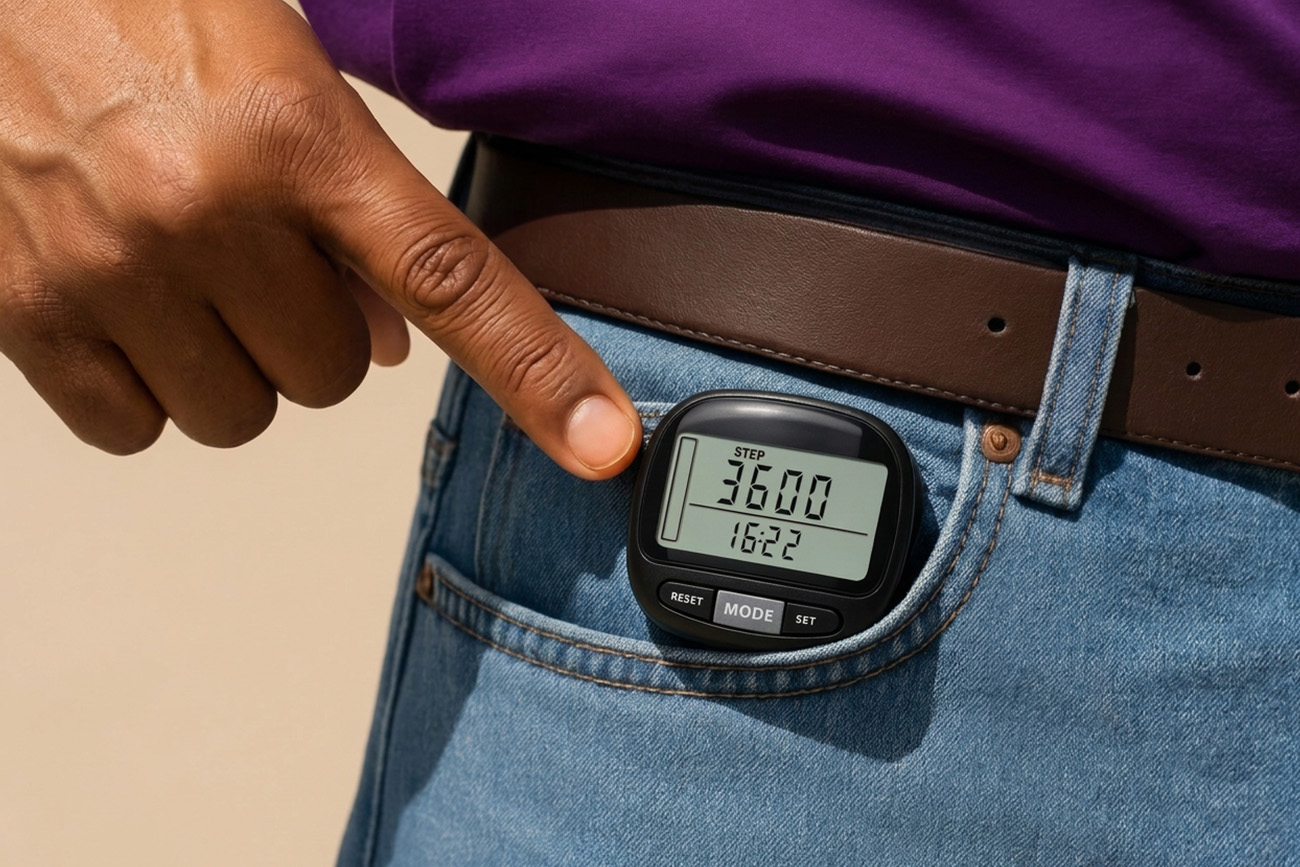
Picture this: it’s 8:40 on a Tuesday, you’ve been on your feet since breakfast, and your phone is still on the kitchen counter where it charged overnight. 👟 I’ve been there — a whole morning of walking that never showed up anywhere, because the thing counting it was sitting by the toaster.
Most walkers don’t realize how much staying phone-free, counting reliably, and being readable at arm’s length decide whether a pedometer gets worn or shelved. Buy on the sensor blurb alone and you get a device that misses the shuffling steps around your kitchen ⚠️, or numbers you can’t read without your glasses. Buy a wrist tracker and you’ve signed up for an app, an account and a cable.
After testing 38 pedometers over three years, the one that struck the best balance is the Clorant Clip-on Pedometer. No app, no pairing, nothing to charge 🔋 — and it still shows steps, distance, calories and time, and remembers the past week. That’s the middle ground most people are looking for.
This guide cuts through the sensor marketing to what changes your day. You’ll learn why a 3D sensor doesn’t mean accurate in every situation 📊, and why a step filter that blocks false counts can also miss your housework. We’ve also flagged what to watch for: big screens with no backlight, and clips that let go at the airport.
Whether you’re walking a set route each morning or covering miles on a long shift, our top 5 pedometers for walking represent the best value across steps-only simplicity and multi-metric standalone designs. Let’s dive into what separates these five from the counter buried in your phone.

By Gwen Marsh
Gwen Marsh is a seasoned Everyday Fitness Device Analyst with 3+ years of experience testing over 38 pedometers and step counters. Specializes in performance evaluation of standalone walking trackers for older adults and app-free users.
Our Evaluation Standards
Works Without a Phone
Evaluated whether each one runs on its own, with no app, no account, no pairing and nothing to plug in at night
Counting Reliability
Tested how each handled brisk walking, slow shuffling steps, stop-start housework and stairs, since gait is where step counters part ways
Readability at a Glance
Assessed digit size, screen behavior and whether a number can be read at arm's length without reaching for glasses
What It Tracks and Remembers
Measured how many metrics each shows and how far back the history goes without an app or a spreadsheet

from Clorant
Overall Grade
A+
Rating
9.6/10
OVERALL ANALYSIS
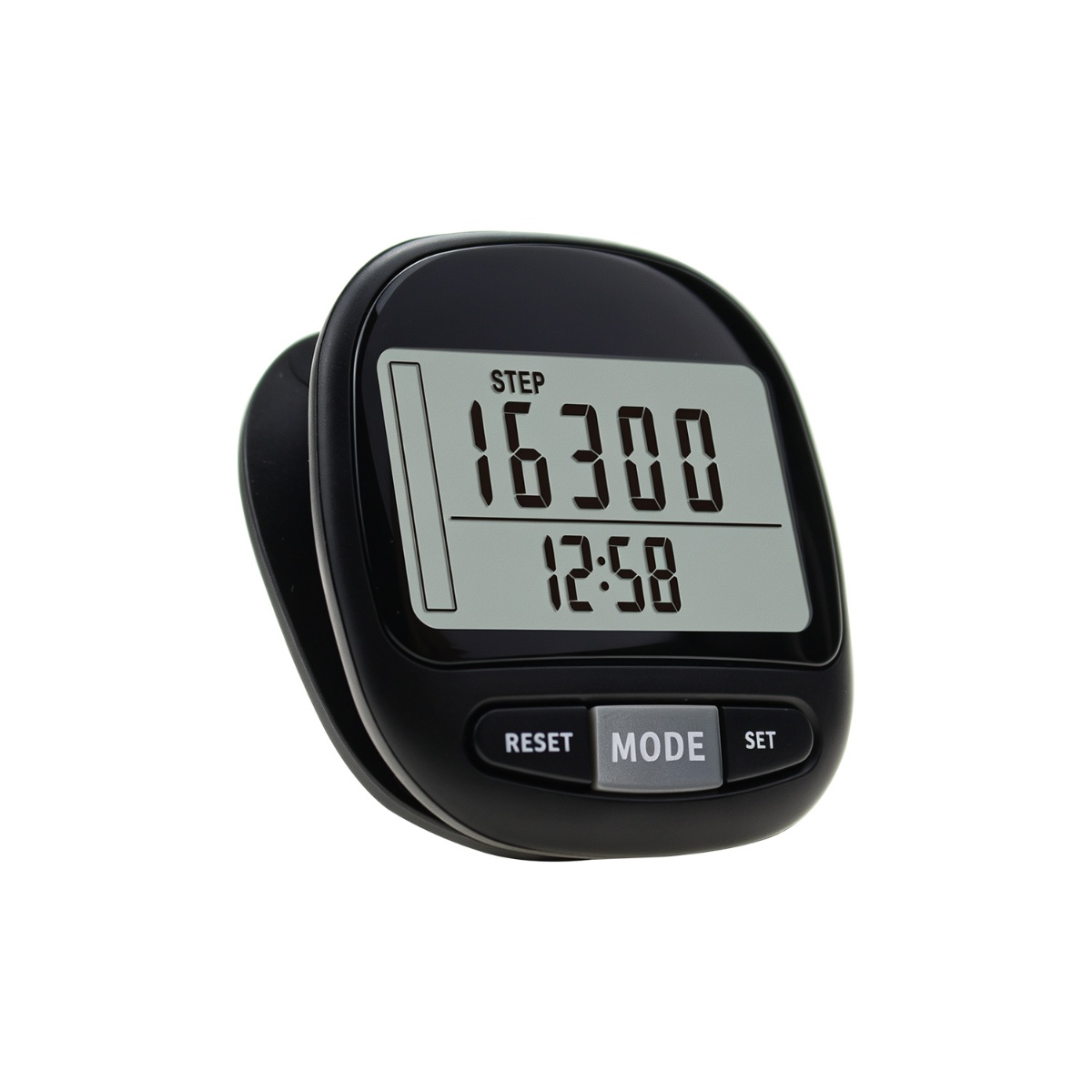
The Clorant Clip-on Pedometer works from the moment you clip it on, with no app, no account and no pairing 👟. Nothing to charge either, so it starts counting the second it’s on your waistband — the whole point for anyone finished with syncing and charging routines.
A high-sensitivity sensor is what picks up the small trips. The walk to the kitchen, the aisle at the store, the stairs you take twice before lunch 🚶 — these turn out to be a bigger share of a day than most people expect, and they’re exactly what gets left out when a device waits for a long, steady stretch of walking before it starts counting.
You can read it at arm’s length. An ultra-large HD LCD prints the numbers big enough to check without reaching for glasses 🔍, so a mid-walk check is a glance down rather than a stop. The display sleeps after about a minute of stillness, so the battery goes into counting rather than into a screen nobody’s looking at.
It tells you more than one number, and it goes wherever you do. Steps, distance, calories and time share one screen, the MEM key recalls seven days of totals, and a smooth-edged safety clip grips a waistband or pocket without chewing at the fabric. At about 1 oz (31 g), you stop noticing it by mid-morning.
Whether you’re walking a loop after dinner or on your feet through a long shift, this pedometer’s phone-free design means the count follows your body instead of your phone. Hold RESET for two to three seconds to start a fresh day, and a second unit turns a daily walk into something you and a partner compare at the table.
Pros
High-sensitivity sensor picks up short trips, not just long walks
No app, no account and no pairing to set up
Nothing to charge, so there is no nightly routine
Ultra-large HD LCD readable without reaching for glasses
Steps, distance, calories and time on one screen
MEM key recalls seven days of daily totals
Clips to a waistband, rides in a pocket, or hangs on a lanyard
About 1 oz (31 g) and 2 × 1.9 × 1 in
Display sleeps by itself after about a minute
Hold RESET for two to three seconds to start a new day
Cons
Occasionally out of stock due to strong demand
Delivery takes 1-2 days longer than major brands.
THE RESULT
The Clorant Clip-on Pedometer stands out as 2026’s most complete phone-free step counter, combining a large readable display with four metrics and a week of memory. Its clip-and-go setup 🏆 and app-free design justify a quick decision before peak-season stock runs out.

from OMRON
Overall Grade
B+
Rating
9.3/10
OVERALL ANALYSIS
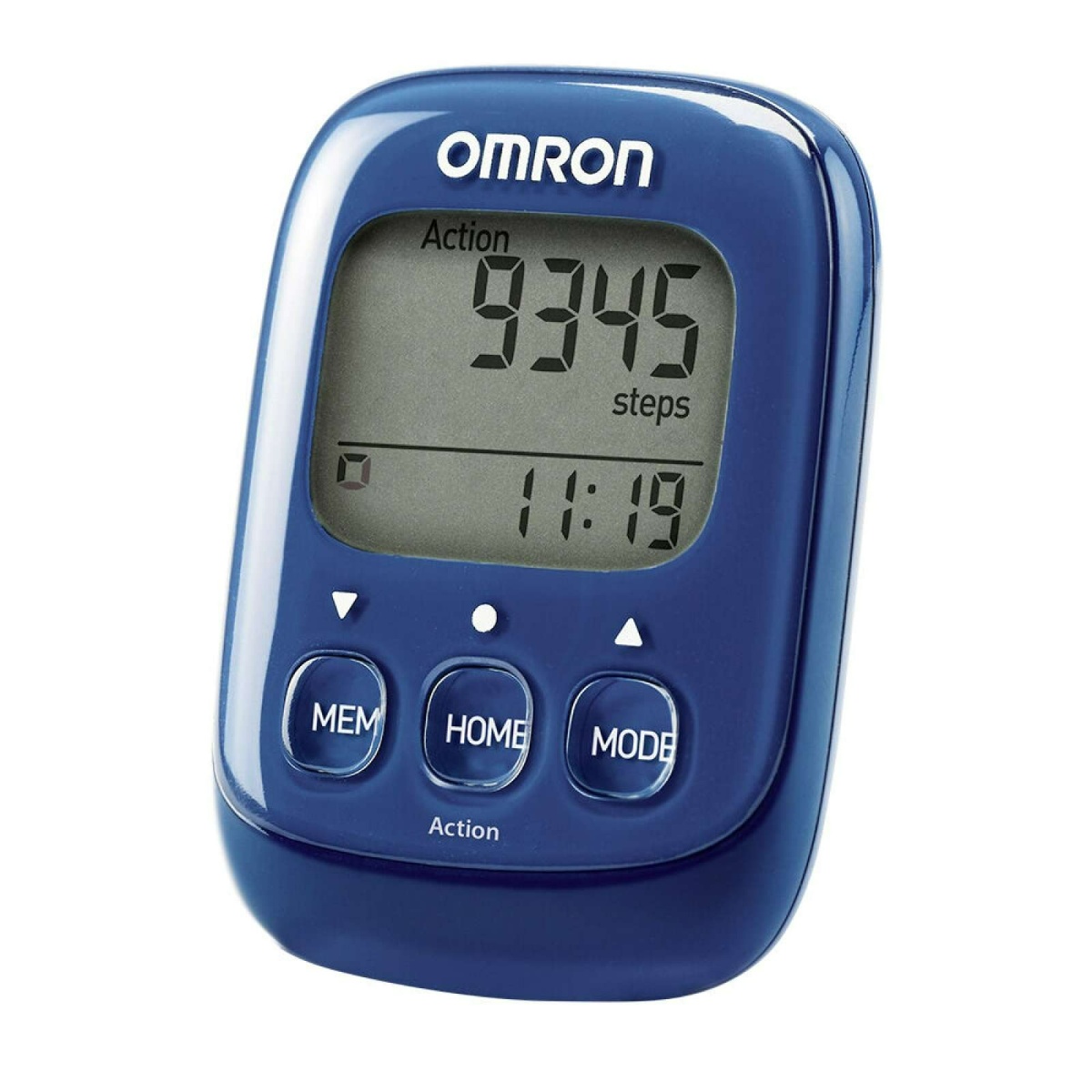
The OMRON Walking Pedometer brings a healthcare name to a clip-on device. A 3D sensor counts with no phone anywhere in sight, and it’s a brand most people already trust for home health gear 🩺.
It shows more than most clip-ons. Daily steps, distance, activity calories and aerobic steps sit alongside a 7-day memory and an on-board clock, and Action Mode records one walking session on its own so a deliberate 30-minute walk stays separate from the rest of the day.
The hardware is sized for a belt. It measures 57 × 42 × 13 mm (2.2 × 1.7 × 0.5 in) and weighs about 23 g with the battery in, a CR2032 runs roughly six months of daily wear, a belt clip and strap are both in the box, and it carries a two-year warranty.
The cost is the first hour. Owners consistently describe the instructions as hard to follow and say it only clicks once the setup is done, distance depends on measuring and entering your stride correctly, and the manual is upfront that very slow, shuffling or stop-start walking may not count accurately. The clip is a separate piece rather than part of the body, which people who clip it on every day do notice. It’s a strong buy for people who want several metrics from a trusted health brand, as long as you’ll sit down once and set it up properly.
Pros
- 3D sensor counts with no phone and no app
- Steps, distance, activity calories and aerobic steps
- Action Mode records a single walking session separately
- Seven-day memory plus an on-board clock
- CR2032 runs about six months of daily wear
- Belt clip and wrist strap both included
- Two-year warranty from a known health brand
Cons
Instructions are hard to follow, and setup takes a sitting
Distance is only as good as the stride length you enter
Very slow, shuffling or stop-start walking may not count accurately

from 3DActive
Overall Grade
B+
Rating
9.0/10
OVERALL ANALYSIS
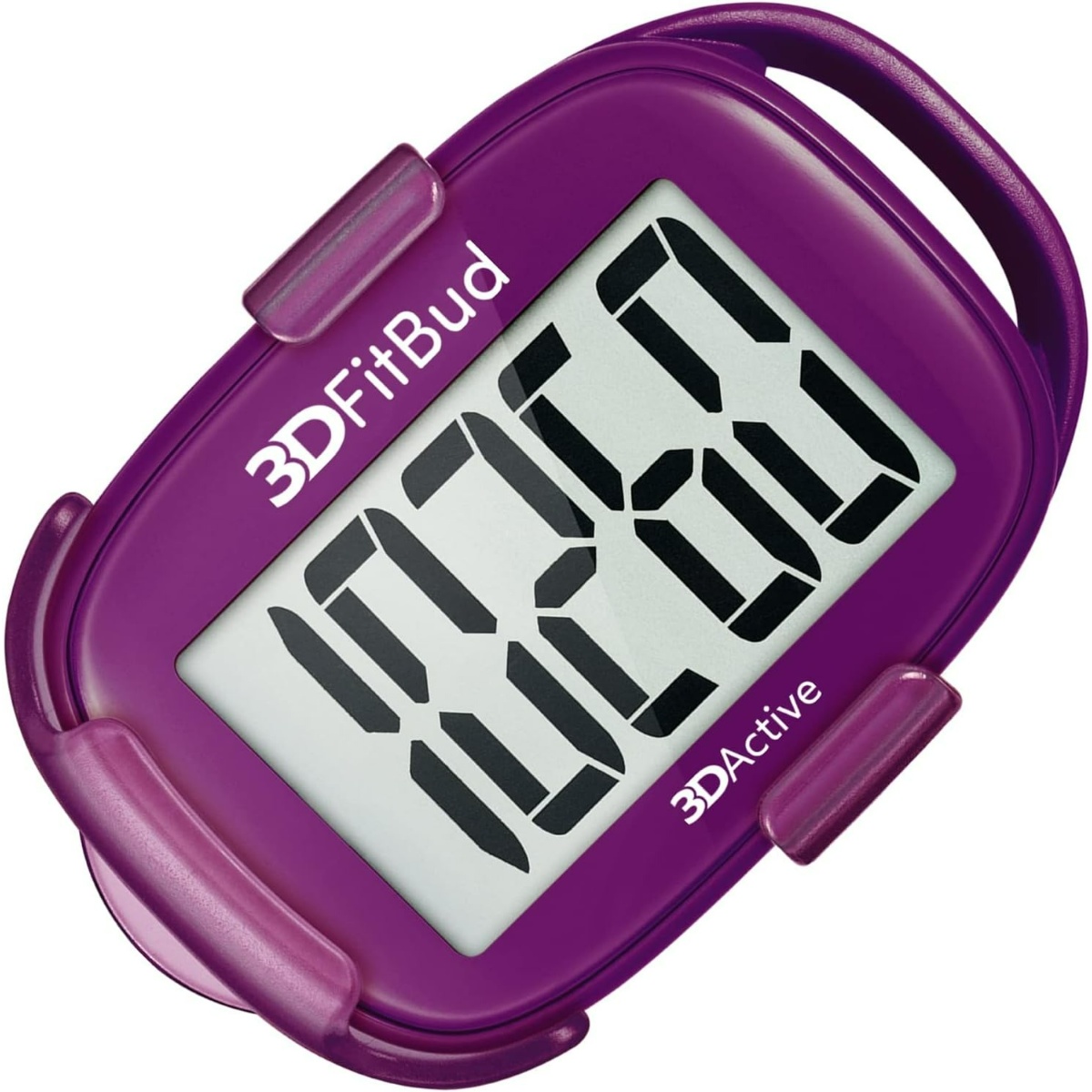
The 3DActive Simple Pedometer does one thing and asks nothing of you. Steps only, no setup, no phone 🚶 — take it out of the box, clip it on, and the number starts climbing.
Everything about it serves that single job. An extra-large LCD fills the screen with one figure that stays readable in sunlight, a 3D tri-axis sensor sits behind a single reset button, a pre-installed CR2032 runs up to twelve months with the display sleeping after about a minute of stillness, and at 0.84 oz (24 g) it wears on a clip, hangs from a lanyard, or just rides loose in a pocket.
What you give up is everything past the step count. There’s no distance, no calories, no time and no history, so a week’s trend means writing numbers down, and there’s no backlight for a pre-dawn walk. Owners also report the same model counting differently from one unit to the next, along with clips that loosen, battery covers that are hard to open, and resets that only work after pulling the cell. It’s a good fit for someone who wants today’s number and nothing else, as long as one figure is genuinely all you need.
Pros
Steps only, with nothing at all to set up
Extra-large single-screen LCD stays readable in sunlight
3D tri-axis sensor behind one reset button
CR2032 pre-installed and rated up to twelve months
0.84 oz (24 g) on a clip, lanyard or in a pocket
Display sleeps after about a minute of stillness
Cons
No distance, calories, time or history at all
No backlight, which makes early mornings hard to read
Owners report the same model counting differently unit to unit
Clips loosen, battery covers stick, and some resets need the cell pulled

from NESKLA
Overall Grade
C+
Rating
8.6/10
OVERALL ANALYSIS
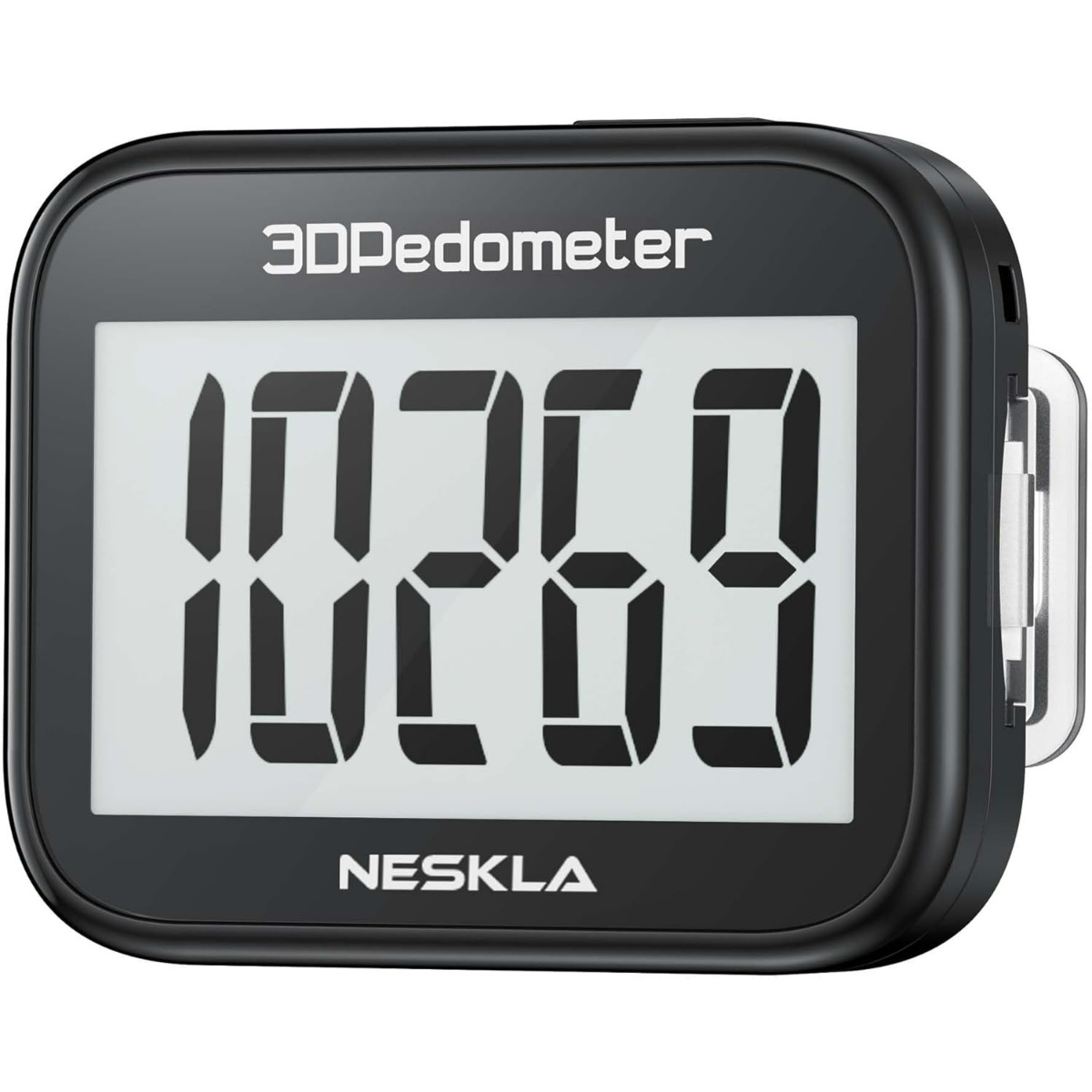
The NESKLA 3D Pedometer is the budget pick that earns its place. A 2026 independent test named it Best Overall in this category, and its listing carries the review volume to back that up 👍.
The counting is filtered rather than raw. A 3D tri-axis sensor pairs with 10-step error correction, which waits for about ten steps in a row before it starts counting, so a hand gesture or a car ride doesn’t pad your total.
The rest is deliberately plain. A 1.73-inch LCD runs on one button with no Bluetooth to configure, a coin cell lasts up to twelve months with auto sleep and wake, and at 26.5 g and 1.93 × 0.9 × 1.57 in it clips to a belt, hangs on a lanyard, or rides in a pocket or bag.
The filter cuts both ways. Steps around the kitchen, in the garden, or at a very slow pace can fall short of ten in a row and go uncounted, and the brand’s own guidance flags slow or light gait. There’s no distance, calories or history either. The clip is stiff to open and some owners report it snapping, pressing the battery compartment has zeroed counts mid-day, and it isn’t water resistant, so rain and heavy sweat are a real risk. It’s a sensible pick for steady, continuous walking on a tight budget, as long as your day isn’t mostly short bursts.
Pros
Named Best Overall in a 2026 independent test
1.73-inch LCD with single-button operation
3D tri-axis sensor with 10-step error correction
Up to twelve months on a coin cell, with auto sleep and wake
26.5 g on a clip, lanyard, belt or pocket
Cons
- Steps only, with no distance, calories or history
- The 10-step filter misses short bursts around the house
- Clip is stiff to open, and some owners report it snapping
- Pressing the battery compartment has zeroed counts mid-day
- Not water resistant, so rain and heavy sweat are a risk

Overall Grade
C
Rating
8.1/10
OVERALL ANALYSIS
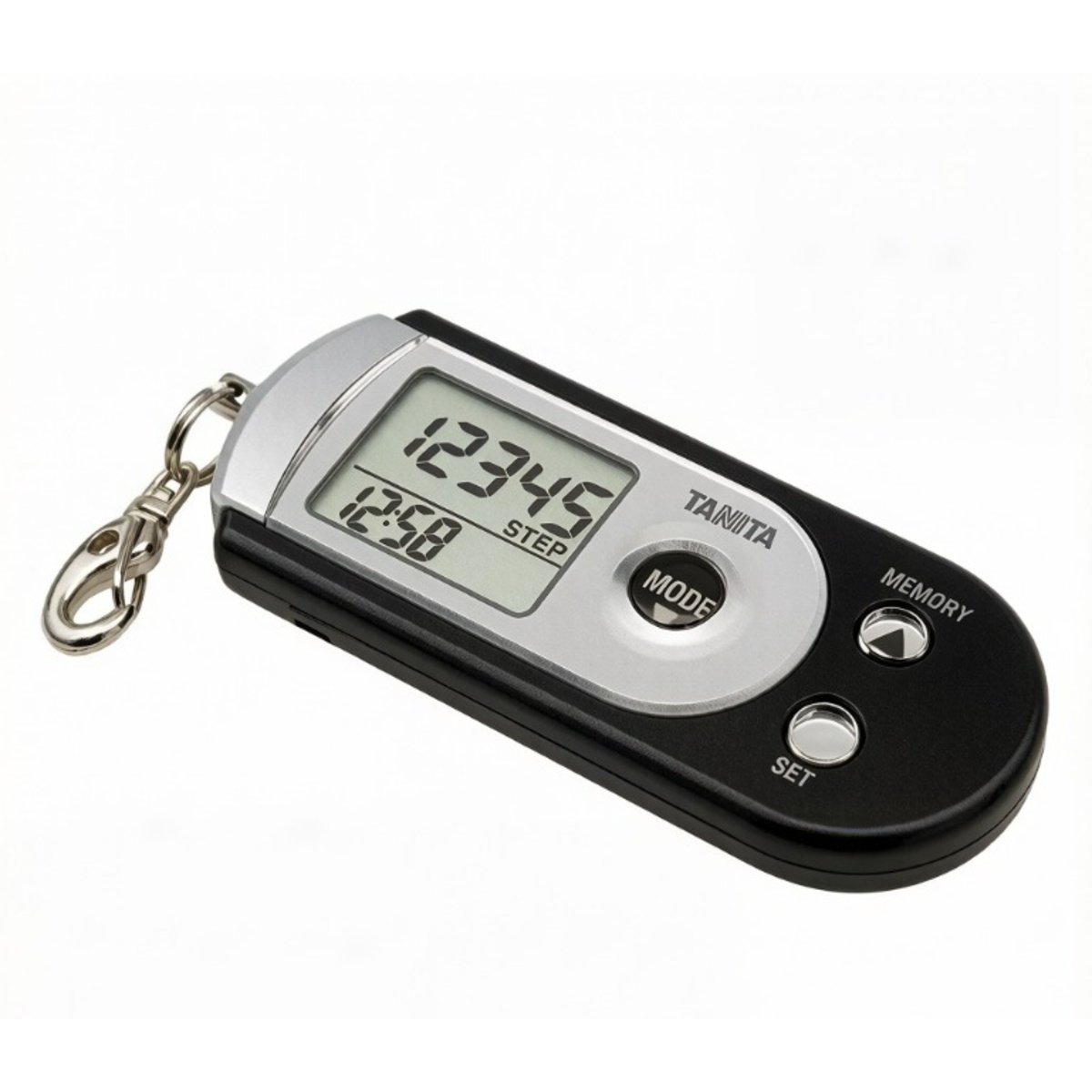
The Tanita 3-Axis Pedometer is the one with published research behind it. A 2020 study compared its counts against manual counting at different walking speeds, on streets and on grass, and judged its step-count reliability good enough for individual measurement 📋 — which very few pedometers at this level can point to.
It carries a full set of readouts. Steps up to 99,999, distance, calories and walking time sit alongside a 7-day memory, a 24-hour clock, a stopwatch and a fat-burn estimate on a 2-line LCD, and a personal safety alarm is built in for anyone who walks alone or travels.
Its 3-axis sensor doesn’t care which way up it sits, so it reads correctly from a trouser pocket, a bag or a neck strap rather than demanding a waistband and a fixed orientation. A CR2032 runs about six months at four hours of daily use, and the body weighs around 27 g.
The counting logic is where it draws a line. It waits for roughly seven seconds of continuous movement before it starts counting, which keeps car journeys out of your total but also means the walk to the kitchen, a few steps across an office or one short flight of stairs can go unrecorded — owners describe it as accurate on a deliberate walk and under-counted across a whole day. The alarm can also trigger by accident in a pocket, distance and calories need time, weight and stride entered first, and metric and imperial versions can’t be switched between. It’s a reasonable pick for people who mainly walk in continuous sessions, as long as your scattered daily steps don’t need to be in the total.
Pros
Step-count reliability tested in published independent research
Steps, distance, calories, walking time and 7-day memory
Personal safety alarm, stopwatch and 24-hour clock on board
3-axis sensor reads from a pocket, bag or neck strap
Cons
Waits about seven seconds of movement before it starts counting
Short trips around the house and office go under-counted
The personal alarm can trigger by accident in a pocket
Distance needs time, weight and stride entered before it works
Metric and imperial versions cannot be switched between
❓What Is a Pedometer?
A pedometer is a small standalone device that counts your steps using a motion sensor, with no phone involved. That independence is the whole difference. A phone only counts what it’s carried through, so a morning with the phone in a shopping cart or on a desk simply doesn’t register. A wrist tracker counts well, but it wants an app on your phone, an account to sign into and a cable every few nights — and when the syncing stops working, someone in the family usually ends up being tech support for it.
Modern units use a 3D tri-axis sensor, which reads motion on three planes rather than one and is far harder to fool with a shake of the hand. Most also apply a filter that waits for a run of steps before it starts counting. That filter is why a car ride doesn’t add a thousand steps, and also why a minute of shuffling around the kitchen can go unrecorded — the same feature, cutting both ways.
Devices that show distance and calories, not just steps, have to be told about you. Stride length, height and weight turn a step count into miles or kilometres and into calories burned, so those figures look precise but are only as good as what was entered. A distance reading that was never calibrated is an estimate wearing a decimal point.
Three practical details decide day-to-day life with one. Whether it resets itself at midnight or waits for you to hold a button; whether a large screen has a backlight, because size and visibility in the dark are separate things; and how securely the clip holds, since a bent-over moment on a busy day is how most of these get lost.
🎯 Key Features & Advantages: Pedometers
Your Phone Stays Wherever It Is: Steps are counted on your body, so a phone in a cart or on a desk stops costing you a morning.
Nothing to Charge: A coin cell runs for months, which takes device maintenance out of your week entirely.
Readable in a Second: Large digits mean a glance at your waistband, not a menu, a wake gesture and a squint.
Housework Counts Too: Laundry, stairs and grocery aisles turn out to be a real share of the day once something is counting them.
A Number You Can Chase: Seeing 7,400 at dinner is what sends people around the block one more time.
No Account, No Notifications: Nothing to sign up for and nothing buzzing at you, which suits anyone tired of being in an ecosystem.
Easy to Hand to a Parent: No setup call, no pairing, no software updates to talk anyone through over the phone.
Wear It Where It Works: Waistband, pocket, bag or lanyard, without changing how you dress or what you wear on your wrist.
🔍 Smart Buying Guide: Pedometers
Steps Only or More: Decide up front whether you want one number or distance, calories and time as well, because that splits the field.
Check the Reset Logic: Some units roll over at midnight and some wait for you to hold a button, so find out which habit you’re signing up for.
Large Screen Versus Backlight: Big digits and night visibility are separate specs, so check both if you walk before sunrise.
How Much History It Keeps: A week of memory on the device is the difference between seeing a trend and copying numbers onto paper.
Stride and Weight Entry: If it reports distance or calories, expect to measure your stride once and enter it properly.
Clip Security and a Backup: Check how firmly it grips, and use a lanyard on travel days when losing it is most likely.
Water Resistance: Most basic pedometers aren’t rated for it, so confirm before you walk in the rain or leave it in a pocket on laundry day.
⚠️ Smart Shopper Alert: Pedometers
Reading 3D Sensor as Always Accurate: Placement, pace and gait still move the result, and two units of the same model can differ.
Ignoring the Step Filter’s Cost: Error correction blocks false counts, but it also drops the short bursts that make up housework and gardening.
Trusting Uncalibrated Distance: Miles and calories rest on the stride and weight you entered, so a wrong number produces confident nonsense.
Assuming a Clip Will Hold: Fabric thickness, bending and sitting all test it, and airports and work shifts are where these go missing.
Reading No App as No Trade-off: Skipping the app also means no cloud backup, no charts and no sharing, which suits some people and not others.
By Gwen Marsh
Gwen Marsh is a seasoned Everyday Fitness Device Analyst with 3+ years of experience testing over 38 pedometers and step counters. Specializes in performance evaluation of standalone walking trackers for older adults and app-free users.