In-Depth Product Analysis for Informed Consumer Choices

Best 5 Sound Bars for TV of 2026
Clearer Dialogue, Fuller Sound, Easier Setup
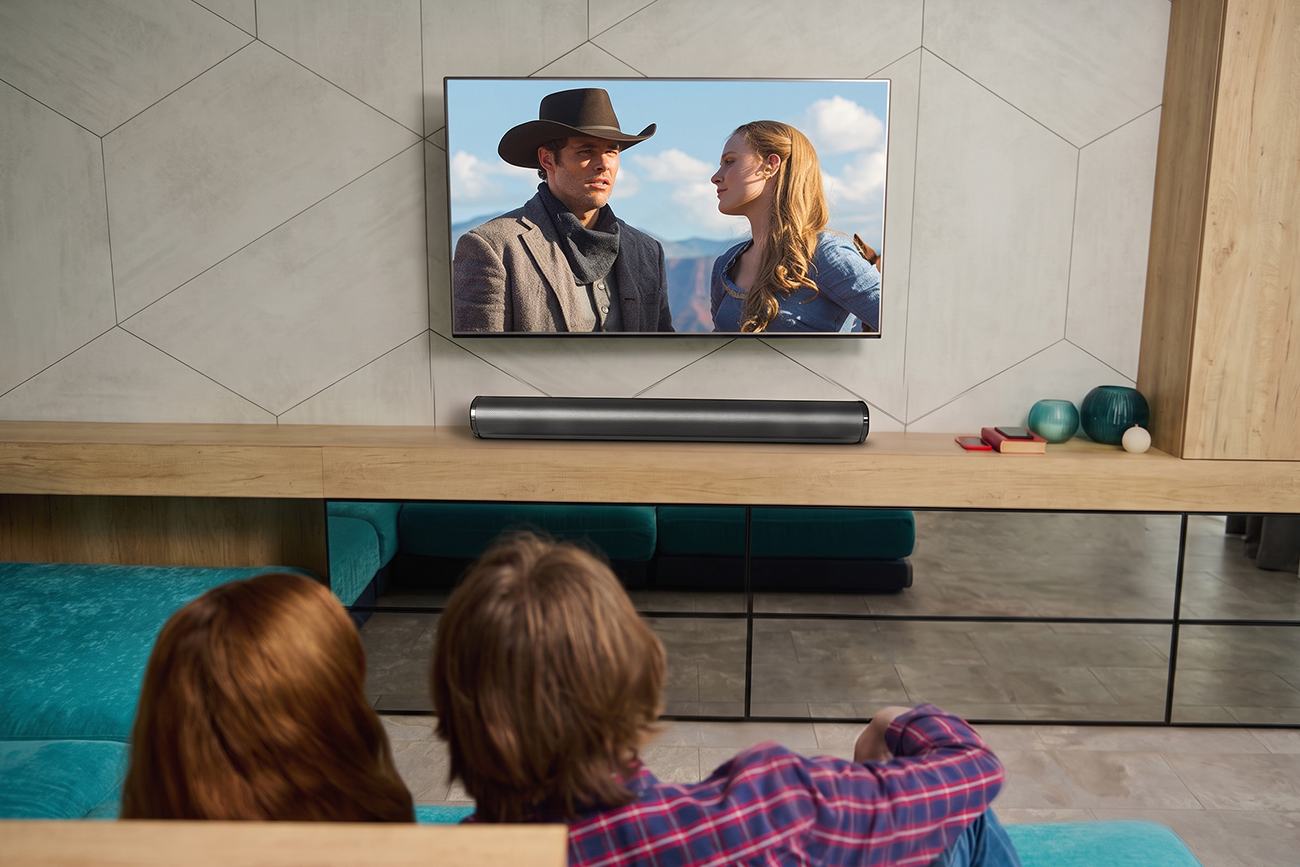
You turn the volume up to catch a line of dialogue, and two seconds later the next scene explodes and you’re scrambling for the remote 📺. Meanwhile the subtitles have been on so long that nobody remembers turning them on — it was just easier than fighting the volume.
A sound bar fixes that part easily. The buying part is where people get stuck. Which port does your TV actually have? Does wireless mean no audio cable, or no power cable? Is a separate subwoofer worth the floor space in an apartment, or is it just going to annoy the neighbors downstairs?
Watts don’t answer any of it. Rated power, max power at 1% THD and total system power are measured three different ways and can’t be lined up against each other, and a frequency range printed without test conditions proves nothing about bass. We tested 30 sound bars and judged every one on the same four things: dialogue clarity, bass without a separate subwoofer, what it connects to, and how much setup it demands.
The one that fits the most homes is the Clorant Sound Bar. Four forward-firing drivers and two bass radiators with dual sound tubes 🔊 lift speech out of the mix and add weight underneath it, in a single-piece cabinet that needs no subwoofer and no speaker wire.
Below is what to look for, what to avoid, and how the five compare — for a bedroom TV, a living room, a desk setup, a projector, or an older set that only has the old ports on the back.

By Cal Barrett
Cal Barrett is a seasoned Home Audio Analyst with years of experience testing over 30 sound bars and TV audio systems. Specializes in performance evaluation of compact setups for apartments, bedrooms and desk-side TVs.
Our Evaluation Standards
Dialogue Clarity and Overall Sound
Evaluated whether speech lifts clear of music and effects at normal viewing volume, since permanent subtitles and a hand on the remote are what send most people shopping
Bass Without a Separate Subwoofer
Tested how much weight each one produces from the bar itself, because a sub adds impact and also adds floor space, cable runs and complaints from downstairs
Connections and Compatibility
Assessed how many sources connect without an adapter, from a current smart TV to a projector, a laptop or a set old enough to only have legacy outputs
Setup and Everyday Controls
Measured what stands between the box and the first sound, and whether changing volume or source needs a phone in your hand

from Clorant
Overall Grade
A+
Rating
9.6/10
OVERALL ANALYSIS
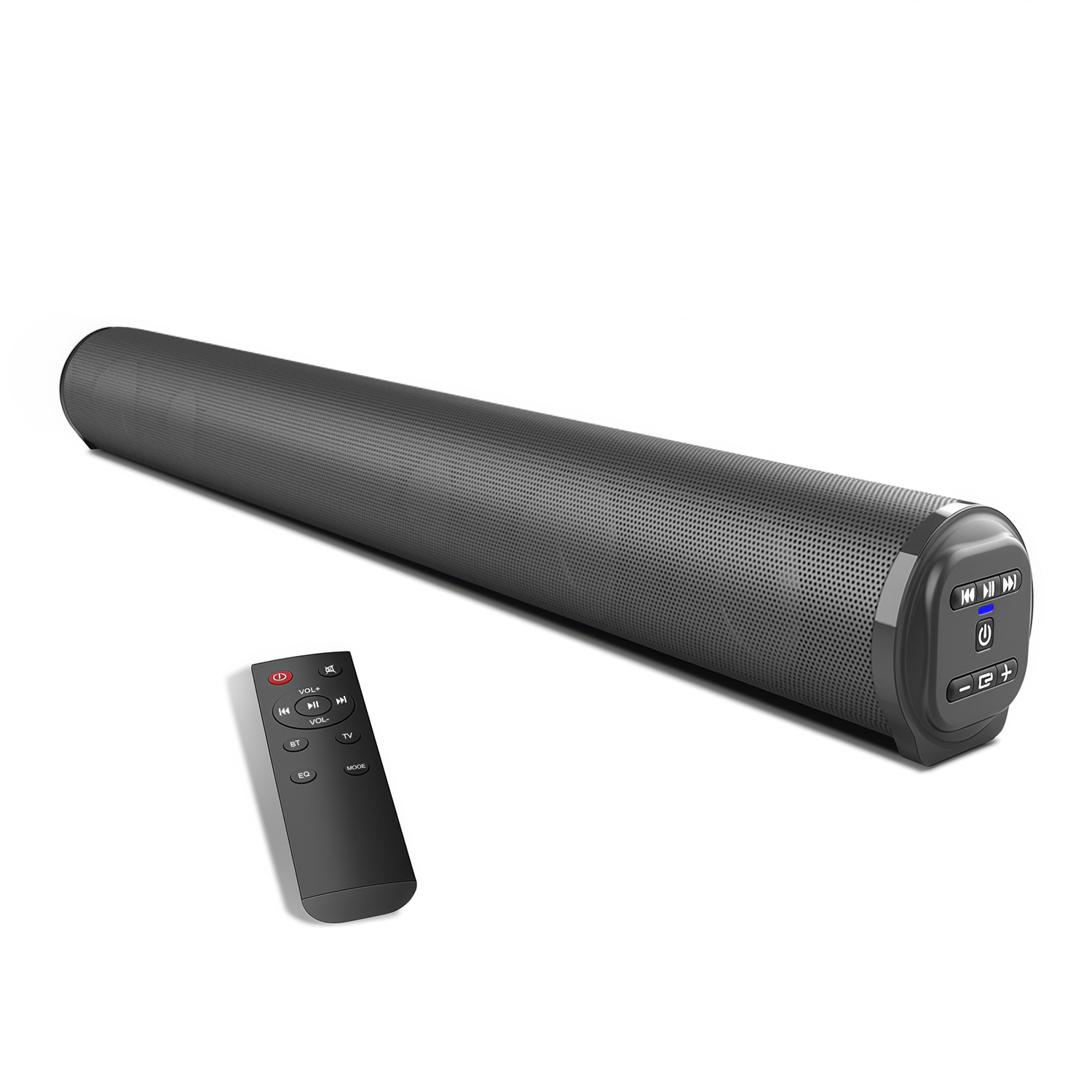
The Clorant Sound Bar goes straight at the reason most people shop for one: dialogue you can’t follow without subtitles. Four 5W full-range drivers fire forward at ear height instead of down into a TV cabinet 🔊, so voices, news and podcasts come through clean and present. Two weeks in, the subtitles were off.
In a bedroom or at a desk, it opens up. Those four drivers spread across a 550 mm cabinet pull left and right apart, so a film has real width at the distance people actually watch from in a bedroom, a study or in front of a monitor — the rooms this bar is built for.
The low end has body without a subwoofer on the floor. Two bass radiators and dual sound-guide tubes give the bass somewhere to develop inside the cabinet, so action and music land with weight instead of going thin — and nothing is pushing it down through the floor at eleven at night.
Anything you want to change takes one press. The remote has its own buttons for TV, Bluetooth, EQ and mute, so switching source or shifting the balance for a film never means digging through a menu, and an indicator on the bar tells you which input you’re on.
Whether you’re watching in a bedroom at low volume or carrying it out to a projector on the weekend, this bar’s all-input design covers Bluetooth 5.0, Optical, RCA, AUX, USB and TF — a current smart TV, a projector, a laptop and a fifteen-year-old set all have a way in. Add a built-in rechargeable battery and an FM tuner, and it’s the most useful single box I’ve put in front of a TV at this size.
Pros
Four 5W full-range drivers fire forward at ear height
Voices, news and podcasts come through clean and present
550 mm span pulls left and right apart at bedroom and desk distances
Two bass radiators and dual sound tubes add weight without a subwoofer
Dedicated TV, Bluetooth, EQ and mute buttons on the remote
Indicator on the bar shows which input you’re on
Bluetooth 5.0 plus Optical, RCA, AUX, USB and TF
Plays FLAC, APE, MP3, WMA and WAV from USB or TF
Built-in FM tuner and a 2000mAh rechargeable battery
Full-length metal mesh grille on a one-piece curved cabinet
Cons
Occasionally out of stock due to strong demand
Delivery takes 1-2 days longer than major brands.
THE RESULT
The Clorant Sound Bar stands out as 2026’s most adaptable pick for a bedroom, study or desk, combining clear forward-firing dialogue with real stereo width, added low-end weight and the widest set of inputs here. Its one-piece cabinet 🏆 and one-press controls justify a quick decision before peak-season stock runs out.

from Sonos
Overall Grade
B+
Rating
9.3/10
OVERALL ANALYSIS
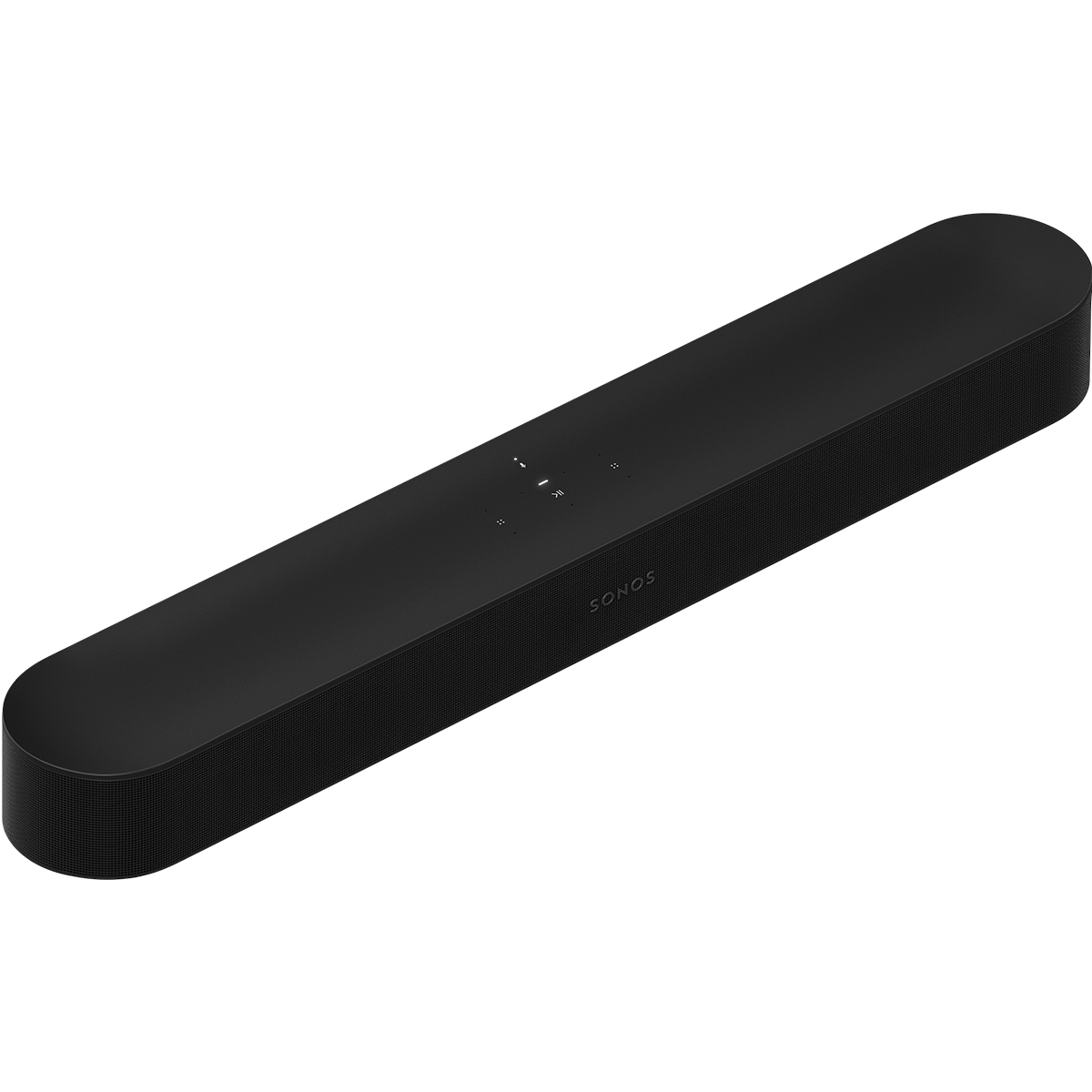
The Sonos Sound Bar is built to disappear into a TV setup. HDMI eARC/ARC means it wakes with the TV and answers the TV remote 📺, which is the kind of integration a bar without HDMI simply can’t offer.
The acoustics are properly engineered. Five Class-D amplifiers drive a center tweeter, four elliptical midwoofers and three passive radiators, and that discrete center is what does the dialogue work.
The software layer runs deep. Trueplay room tuning, Speech Enhancement and Night Sound shape the output, Dolby Atmos, Dolby Digital Plus and TrueHD are supported, and Wi-Fi with AirPlay 2 handles music.
What it asks for is a fixed spot and an app. Setup runs through the companion app and it needs a wall outlet nearby, so unplugged use isn’t part of the picture. Its Atmos height comes from processing rather than dedicated up-firing drivers, independent testing flags limited low bass and maximum volume for a standalone bar, and full room calibration depends on having a compatible iOS device. It’s a strong buy for people who want tight TV integration and a system they’ll expand later, as long as it can stay in one place.
Pros
HDMI eARC/ARC with TV remote sync
Five Class-D amplifiers with a discrete center tweeter
Four elliptical midwoofers and three passive radiators
Trueplay room tuning, Speech Enhancement and Night Sound
Dolby Atmos, Dolby Digital Plus and TrueHD support
Wi-Fi and AirPlay 2 for music
Expandable with a sub and rear speakers later
Cons
Setup runs through an app and it needs a wall outlet
Atmos height comes from processing, not up-firing drivers
Limited low bass and maximum volume for a standalone bar

from Bose
Overall Grade
B+
Rating
9.0/10
OVERALL ANALYSIS
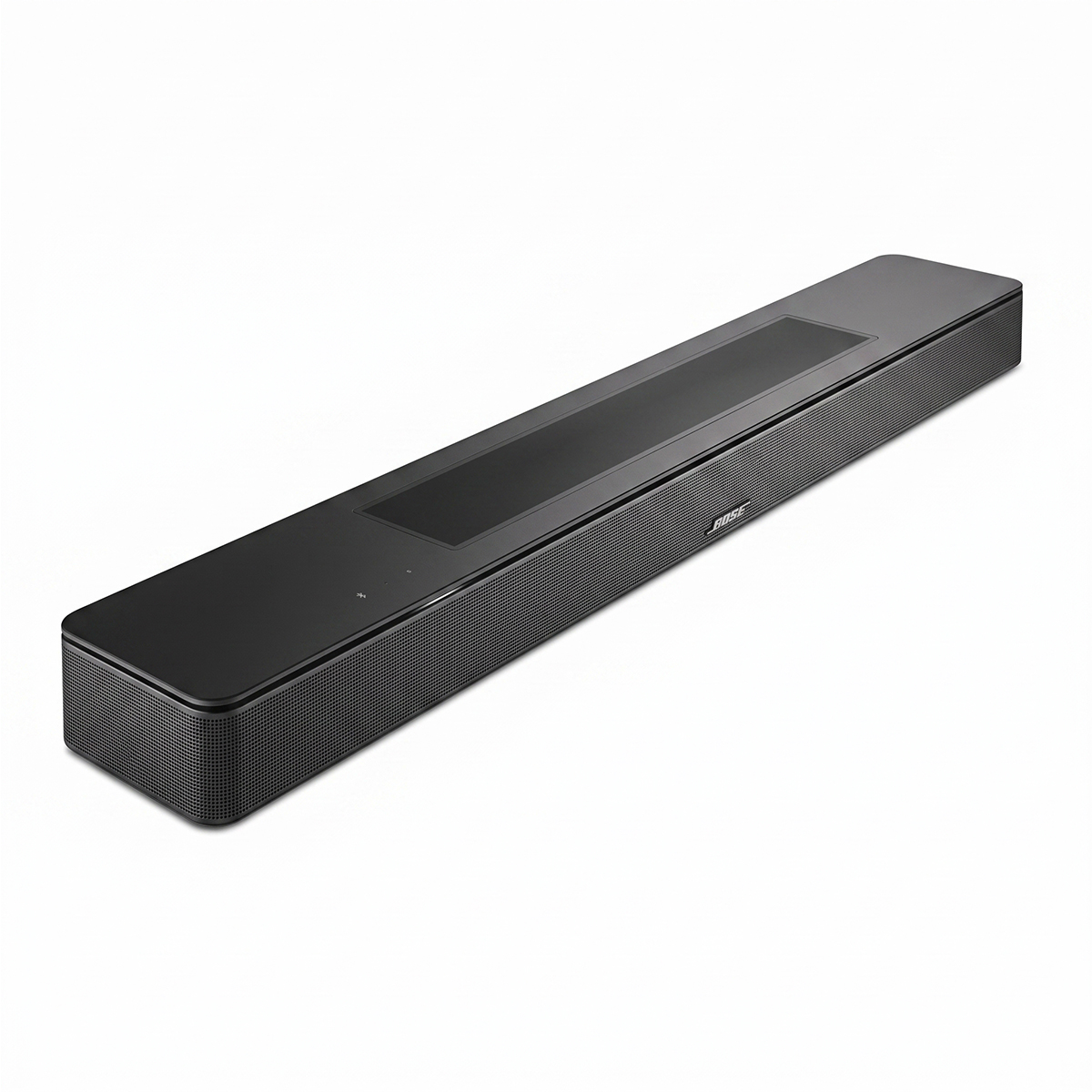
The Bose Smart Sound Bar is the one aimed squarely at dialogue. An A.I. Dialogue Mode reads speech and adjusts the tonal balance around it 🗣️, backed by a center tweeter among its five speakers.
The spatial side is real hardware rather than processing alone. Upward-firing transducers feed Dolby Atmos and Bose TrueSpace, which upmixes non-Atmos content, and connectivity covers HDMI eARC/ARC, optical, Bluetooth 5.0, Wi-Fi, AirPlay 2, Chromecast and Spotify Connect in a 27.34 in cabinet.
The friction is connection and control. Intermittent app and TV pairing problems come up repeatedly in owner feedback, and there’s no clear front-panel readout, so confirming volume or mode without reaching for the app is awkward. Genuinely deep bass still means adding a separate bass module, and the whole design assumes a fixed indoor spot with mains power, an app and a network — there’s no USB, TF, FM or battery here at all. It’s a good fit for households that put dialogue clarity and Atmos first, as long as you’re comfortable living inside an app.
Pros
A.I. Dialogue Mode with a dedicated center tweeter
Upward-firing transducers for real Atmos height
TrueSpace upmixes non-Atmos content
HDMI eARC/ARC plus optical
Bluetooth 5.0, Wi-Fi, AirPlay 2 and Chromecast
Spotify Connect built in
Cons
Intermittent app and TV pairing problems come up repeatedly
No clear front-panel readout for volume or mode
Deep bass still needs a separate bass module
No local playback options, and it stays plugged in

from Polk Audio
Overall Grade
C+
Rating
8.6/10
OVERALL ANALYSIS
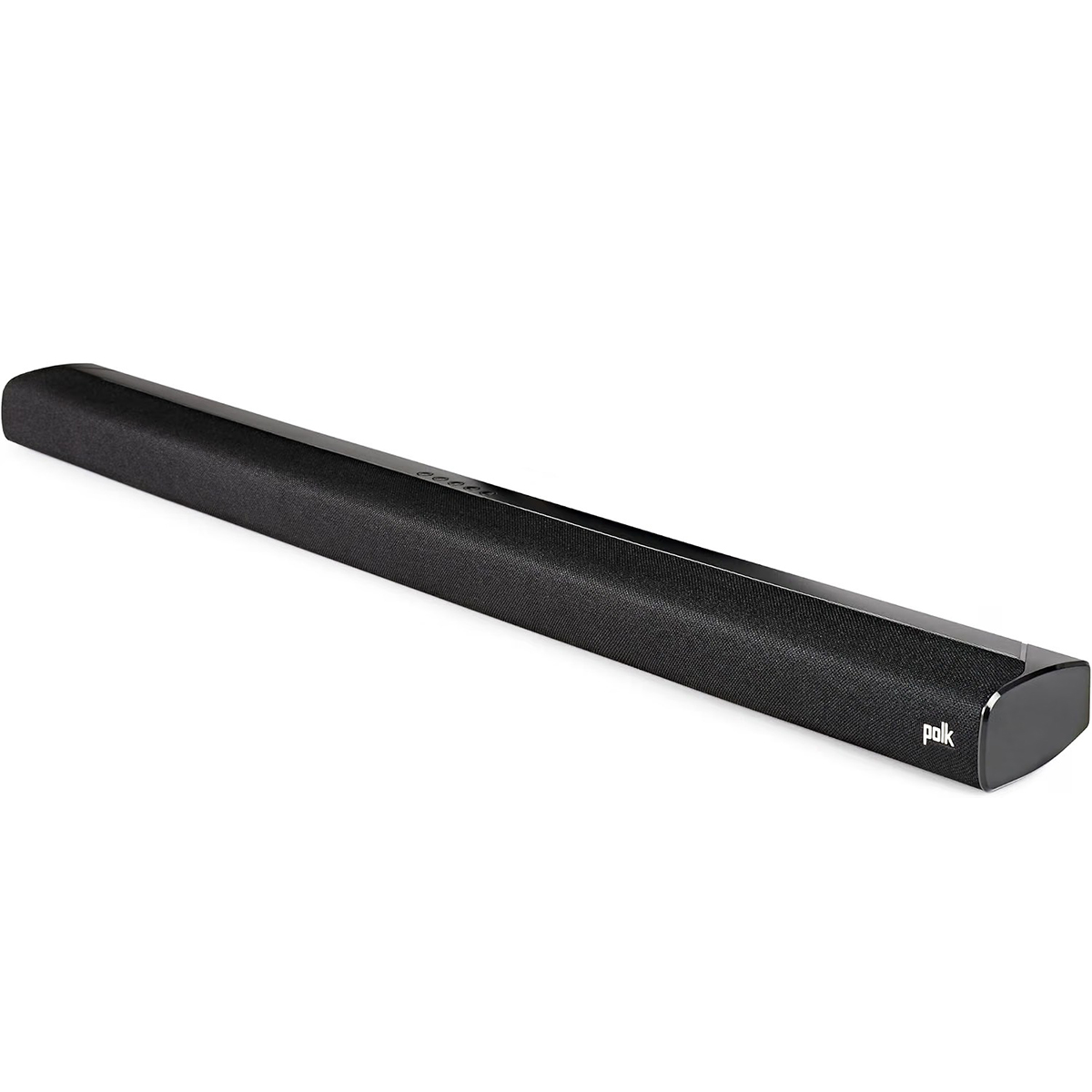
The Polk Audio Sound Bar gives you a real subwoofer without a premium price. A separate 5.25-inch wireless sub handles the low end 🎬, which a single compact bar physically cannot match.
The bar itself is properly specified. Two 1.25 × 4.4 in midranges and two 1-inch tweeters sit in a 35.43 in cabinet, with response rated down to 45 Hz once the sub is in the room.
The TV side is sorted. HDMI ARC, Toslink optical, 3.5mm AUX and Bluetooth cover the connections, and VoiceAdjust with Night Mode handles dialogue and late-night watching.
A few things wear on owners. The remote is the most repeated complaint by a distance — angle-sensitive and inconsistent — and there’s no display, so confirming volume or mode comes down to guesswork. The 2.1 layout has no dedicated center and no Atmos, which caps surround performance and how much you can tune, and a two-piece mains-powered system needs floor space and stays where you put it. A minority also report occasional HDMI-CEC or subwoofer connection hiccups. It’s a sensible pick for a small to mid-sized living room where bass matters and the setup won’t move, as long as the remote doesn’t bother you.
Pros
Separate 5.25-inch wireless subwoofer included
Response rated down to 45 Hz with the sub in the room
35.43 in cabinet with two midranges and two tweeters
HDMI ARC, optical, AUX and Bluetooth
VoiceAdjust and Night Mode for dialogue and late viewing
Cons
The remote is the most repeated complaint by a distance
No display, so volume and mode come down to guesswork
2.1 layout with no dedicated center and no Atmos
Two-piece mains system needs floor space and stays put
Occasional HDMI-CEC and subwoofer connection hiccups reported

from JBL
Overall Grade
C
Rating
8.1/10
OVERALL ANALYSIS
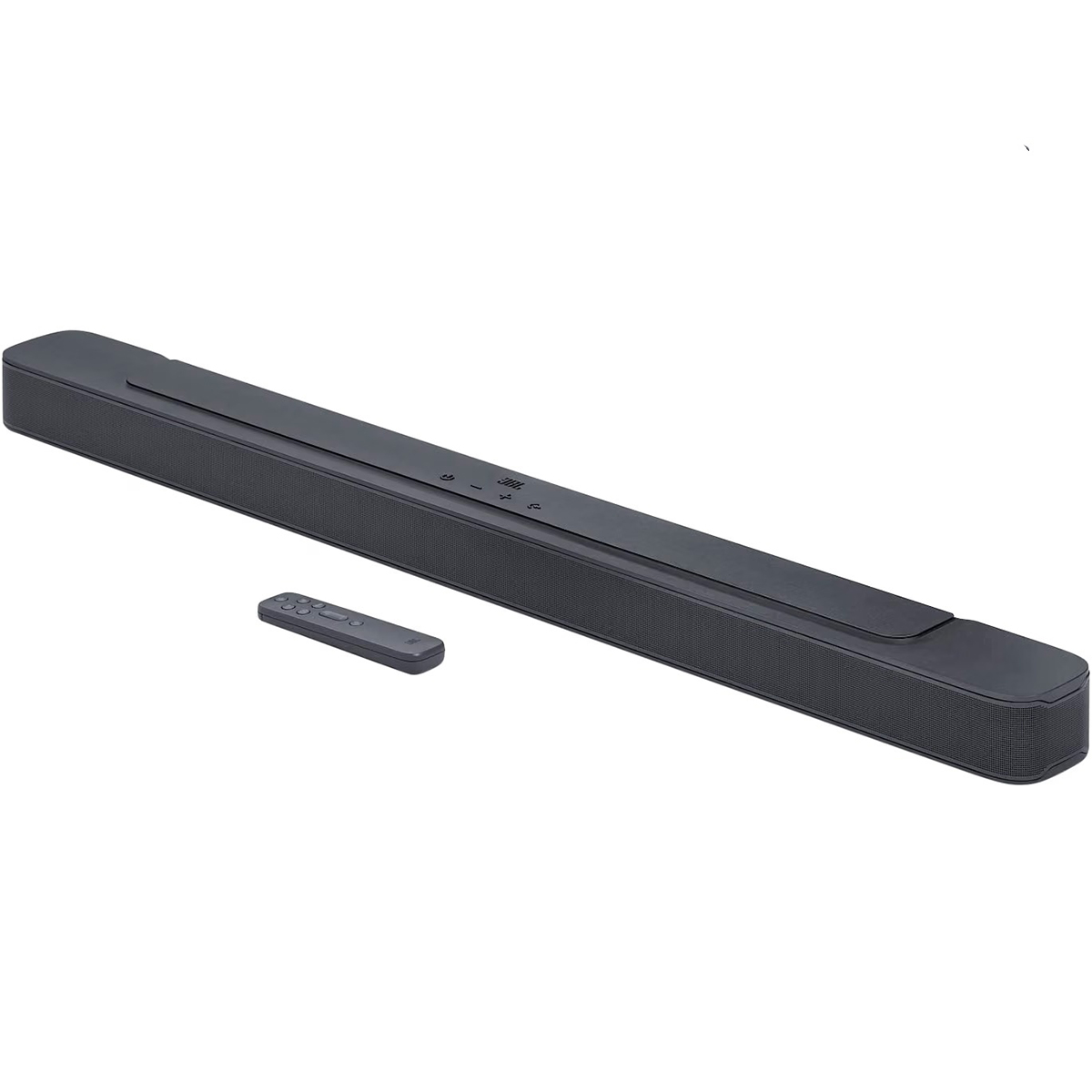
The JBL Sound Bar is the one built for impact. A 6.5-inch wireless subwoofer and 300W of max system power put real weight behind action films and live sport 🏈.
The bar is built to match it. Four race-track drivers and two 1-inch tweeters fill a 38 in cabinet, with response rated down to 40 Hz.
Connections are practical. An HDMI ARC output plus an HDMI input, optical, Bluetooth and USB playback on the U.S. version cover a TV, a console routed through that TV, and a drive of your own files.
The tuning is where it divides people. Owners report dialogue sitting low against background sound on Dolby Digital material, EQ options are limited with no app-based custom tuning, and some find even the first volume step too loud for late-night apartment watching. Bluetooth is on the older 4.2 standard, and the two-piece mains setup and 38-inch bar take real space. It’s a reasonable pick for action, sport and bass-first listening, as long as quiet dialogue isn’t the priority.
Pros
6.5-inch wireless subwoofer with 300W of max system power
Response rated down to 40 Hz
HDMI ARC output plus an HDMI input, optical and Bluetooth
USB playback on the U.S. version
Cons
Owners report dialogue sitting low against background sound
Limited EQ with no app-based custom tuning
Even the first volume step is too loud for some late-night viewing
Bluetooth 4.2 rather than a newer standard
Two-piece mains setup and a 38-inch bar take real space
❓What Is a Sound Bar?
A sound bar for a TV is a single cabinet of speakers built to replace the ones inside the television itself. Modern sets are too thin to hold decent drivers, and what’s in there usually fires downward or backward into the wall, which is why dialogue sounds muffled while explosions don’t. A bar puts forward-facing drivers at ear height and, in most homes, is the single biggest improvement you can make to how a TV sounds.
Wireless is the most misleading word in this category. On most sound bars it means Bluetooth or Wi-Fi audio, or a subwoofer that doesn’t need a speaker cable — the bar itself still needs a wall outlet. A battery-powered bar is a genuinely different thing, and the listing has to say so explicitly. Connections split the same way. HDMI eARC and ARC carry audio and let the TV remote control the bar, at the cost of depending on an HDMI handshake that doesn’t always behave. Optical carries audio only, but it works with almost any set, new or old, and never has to negotiate with anything. AUX and RCA are the fallbacks that keep older TVs and projectors usable.
Power and frequency figures can’t be compared across brands. One maker quotes rated power per driver, another quotes maximum system power measured at 1% distortion, and the two numbers are not describing the same thing. A frequency range published without a tolerance, a measuring distance or a sound-pressure level tells you the design’s intended span, not that it can actually produce a deep 20 Hz note in your living room.
Two expectations worth setting before you shop. Dolby Atmos on a bar can come from real upward-firing drivers or from processing that simulates height, and those two produce noticeably different results. And dialogue clarity comes from two places — where the drivers point and whether there’s a center channel or speech processing — not from adding a subwoofer. Forward-firing drivers at ear height already beat a TV’s downward-firing speakers; a dedicated center goes further again. A bigger sub does neither: it makes explosions louder without making a whispered line any easier to follow.
🎯 Key Features & Advantages: Sound Bars
The Subtitles Can Finally Come Off: Speech stops getting lost in the mix, so you’re not reading a show you’re supposed to be watching.
One Volume Setting Works All Night: Dialogue and action stop living at opposite ends of the dial, so the remote stays on the arm of the couch.
Sound Stops Coming From Behind the TV: Forward-facing drivers at ear height widen everything — films, music and sport all sit in the room instead of behind a panel.
Setup Is One Cable, Not an Afternoon: A single audio connection replaces a receiver, speaker wire and a weekend of positioning.
Older TVs Get a Second Life: A set with only optical, RCA or AUX can still be upgraded without replacing the television.
Phone Music Gets an Actual Speaker: Bluetooth turns the same box into the room’s stereo when the TV is off.
Apartments Stay on Good Terms: A compact bar improves sound without a subwoofer pushing bass through the floor at 11 p.m.
The TV Stand Stays Clean: One cabinet, one cable and no boxes of speaker wire behind the furniture.
🔍 Smart Buying Guide: Sound Bars
Check Your TV’s Ports First: Look at the back of the set before you shop for a sound bar for your TV, because ARC, eARC, optical and AUX are not interchangeable.
Decide What Wireless Has to Mean: Bluetooth audio, a cable-free subwoofer and battery power are three different promises sold under one word.
Dialogue Comes Before Bass: If subtitles are the reason you’re shopping, prioritize a center channel or speech mode over subwoofer size.
Match the Size to the Room, Not Just the Stand: A compact bar suits a bedroom, study or desk; a large open living room needs more driver area and usually a subwoofer to fill it.
Ask Whether a Subwoofer Suits Your Building: Deep bass carries through floors, which matters more in an apartment than in a house.
Count the Setup Steps: An app, an account, a network and a firmware update are all real costs if you just want sound from a button.
Match the Inputs to Everything You Own: A projector, a laptop, an older TV and a USB drive each need a port, not an adapter you buy later.
⚠️ Smart Shopper Alert: Sound Bars
Reading Wireless as No Power Cable: Almost every TV sound bar still plugs into the wall, and only a battery model says otherwise.
Comparing Watts Across Brands: Rated power, max power at 1% distortion and system power are three different measurements, not three versions of one.
Trusting a Frequency Range With No Test Conditions: A 20 Hz figure without tolerance, distance or sound-pressure level is a design span, not proven bass.
Assuming Atmos Always Means Overhead Sound: Simulated height and real up-firing drivers both carry the badge and don’t sound alike.
Expecting a USB Port to Play Music: On plenty of bars that port is for service only, and playback support varies by brand and region.
By Cal Barrett
Cal Barrett is a seasoned Home Audio Analyst with years of experience testing over 30 sound bars and TV audio systems. Specializes in performance evaluation of compact setups for apartments, bedrooms and desk-side TVs.