In-Depth Product Analysis for Informed Consumer Choices

Best 5 Digital Photo Frames of 2026
Keep Them in the Picture

Most digital photo frames are in a closet within a year 📱. Not because they’re bad. Sending the photos turned out to be a chore, or the person receiving it needed help every time, or a storage plan appeared six months in. All three are failures of setup, not of hardware.
The frames that survive get one thing right: nobody has to remember to use them. You send from your phone the moment you take something worth sharing, and it turns up in your mother’s kitchen with her doing nothing at all — no app to open, no album to accept, no text thread to scroll back through in March.
So the spec that decides this isn’t screen size. It’s how few taps it takes you to send, how much the recipient has to learn, how the photos look from where the frame actually sits, and what the thing costs you a year from now. We tested 30 digital picture frames over five years against those four, and the gaps are wider than the price differences suggest.
The one that fits the most families is the Clorant Digital Photo Frame. Anyone in the family can send to it from anywhere, a USB drive loads a whole vacation folder at once, and over 10,000 photos live on the frame itself instead of a storage tier 🖼️.
Below is what to look for, what to skip, and how the five compare — including which two put features you’d assume were included behind a paid plan, and which two can’t load a single photo without an internet connection. The differences show up in month six, not on day one.

By Joss Hartley
Joss Hartley is a seasoned Home Tech Analyst with 5+ years of experience testing over 30 digital photo frames and family sharing devices. Specializes in performance evaluation of setups meant for parents and grandparents who don't want another app to learn.
Our Evaluation Standards
Ease of Use
Evaluated what a parent or grandparent has to learn beyond plugging it in — an app, an account, a remote, or nothing
Sharing & Uploads
Tested how few taps it takes to send from anywhere, whether other relatives can upload too, and how a full folder loads
Display Quality
Assessed resolution against screen size at the real viewing distance, plus color, contrast, and how far off-center the picture holds
Storage & Ongoing Cost
Measured how many photos each one holds, what the free tier caps, and which features sit behind a paid plan

from Clorant

Overall Grade
A+
Rating
9.6/10
OVERALL ANALYSIS
The Clorant Digital Photo Frame is the rare gift that needs no setup lesson. A high-sensitivity touchscreen replaces the buttons and remote that send most frames back into the box, and a gravity sensor turns the picture right side up on its own — flat on a counter, standing upright, or mounted on a wall.
Anyone in the family can send photos from anywhere. Pictures and videos travel over Wi-Fi through the app and reach the screen in seconds, and several people can be connected to the same frame at once. Grandparents see a photo the day it was taken, not the next time someone remembers to upload.
The storage question goes away on day one. 32GB holds over 10,000 photos on the frame itself, so nobody deletes last year’s pictures to make room and no cloud allowance runs out. Anything loaded by USB stays on the device — no account holding the family album, no terms to change next year.
The picture holds up from the couch, not just head-on. The 10.1-inch screen runs 1280 × 800, about 149 pixels per inch, sharper than any 15-inch frame here, and 1000:1 contrast doubles what the other compact frame manages. A full-view IPS panel keeps skin tones from washing out at an angle, and video plays in the same slideshow as stills through built-in speakers.
On a kitchen counter, a bedroom dresser or an office shelf, the frame’s minimalist design looks like it belongs there between slideshows. It plays MP4, MKV, MOV and RMVB, shows the clock, calendar, weather and temperature when the photos pause, takes a tap-to-like or an emoji note, and brings back a chosen photo on a date you set, without anyone having to remember it.
Pros
Touchscreen replaces buttons and a remote, so nothing gets lost
Gravity sensor rights the picture flat, upright or wall-mounted
32GB on board holds over 10,000 photos with no cloud plan
USB-loaded photos stay on the device, tied to no account
Several relatives connect at once, so sending isn’t one person’s job
Wi-Fi and the app put a photo up in seconds
149 pixels per inch, sharper than any 15-inch frame here
Full-view IPS holds color from across the room
Plays MP4, MKV, MOV and RMVB through built-in speakers
Clock, calendar and weather earn it counter space on quiet days
Cons
Occasionally out of stock due to strong demand
Delivery takes 1-2 days longer than major brands.
THE RESULT
The Clorant Digital Photo Frame is 2026’s most complete family pick: the recipient learns nothing, anyone in the family can send in seconds, and over 10,000 photos sit on the frame instead of in a storage tier. Its full-view IPS panel 🏆 and all-day desk features justify a quick decision before peak-season stock runs out.

from Aura

Overall Grade
B+
Rating
9.3/10
OVERALL ANALYSIS
The Aura Digital Photo Frame is built to pass for a real frame on a wall. Its 15-inch dual-orientation display runs 1600 × 1200 behind anti-glare, paper-like matting 🖼️, which reads as framed art rather than a tablet propped on a shelf.
Storage isn’t a limit here. Unlimited photo and video cloud storage comes with no subscription attached, so a family can keep uploading for years and nobody has to delete anything to make room or think about capacity.
The sharing side is mature. Wi-Fi runs on both 2.4 and 5 GHz, the iOS and Android apps handle family invites and text-to-frame, and you can preload the frame before you wrap it. The body measures 15.7 × 12.7 × 1.2 inches at 3.64 lb, with a built-in speaker and auto on/off.
The trade-offs are structural. There’s no touchscreen — control runs through the app and a touch bar on the frame — and no USB or SD input at all, so everything depends on wireless and the cloud. Photos in other aspect ratios can crop, and fixing that means smart crop or a manual adjustment every time. Video plays for up to 30 seconds only. Owners have pushed back on app changes to photo selection and organizing, which bites hardest on large libraries, and a wall mount still needs a cord run to it. It’s a strong buy for a design-led household that wants a large wall frame and unlimited storage, as long as app-only management suits everyone using it.
Pros
15-inch dual-orientation display at 1600 × 1200
Anti-glare, paper-like matting
Unlimited photo and video cloud storage, no subscription
Wi-Fi on both 2.4 and 5 GHz bands
Preload, family invites and text-to-frame
3.64 lb, tabletop or wall mount
Built-in speaker with auto on/off
Cons
No touchscreen, so control runs through the app
No USB or SD input at all
Video plays for up to 30 seconds only

from Skylight
Overall Grade
B+
Rating
9.0/10
OVERALL ANALYSIS
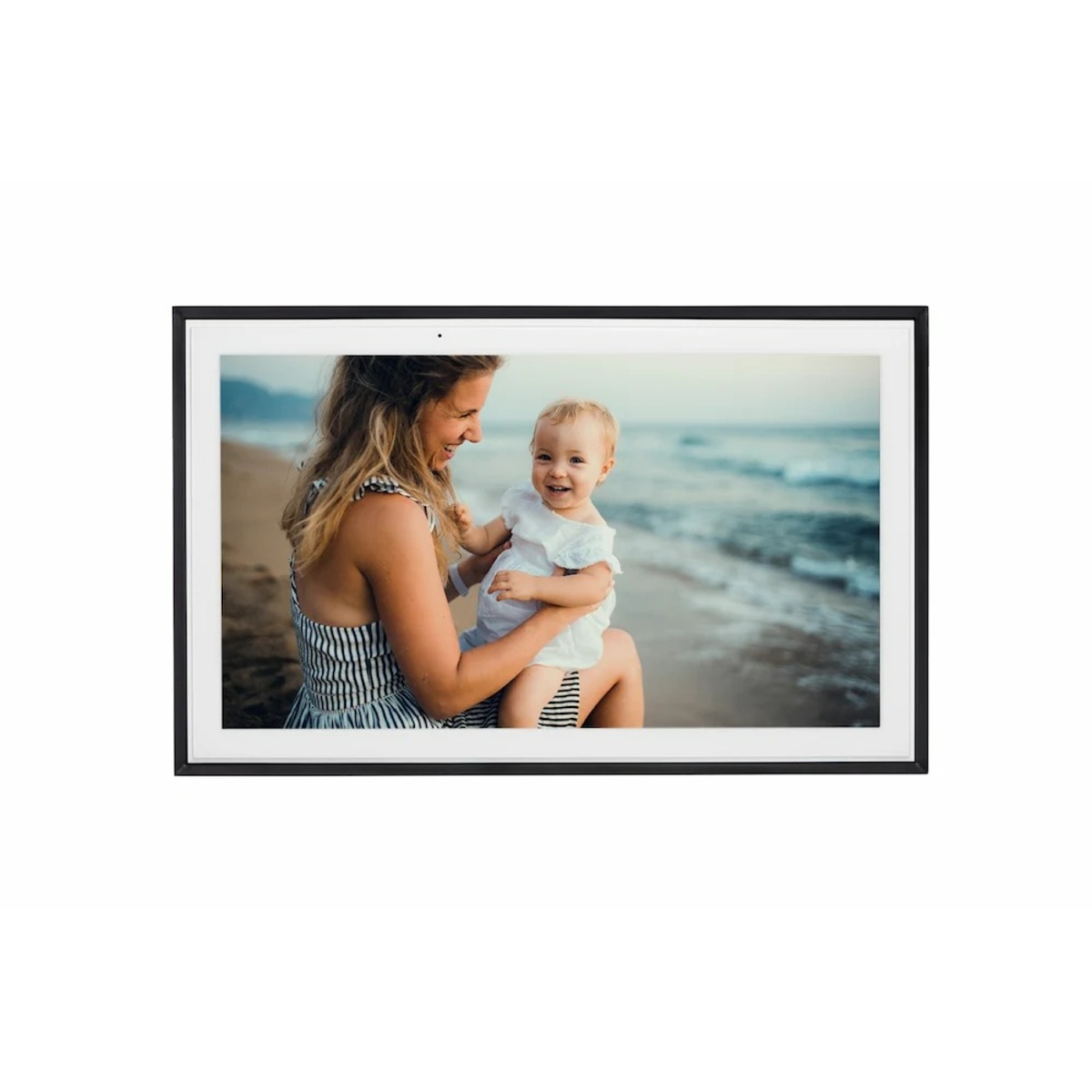
The Skylight Digital Photo Frame lets people email photos straight to it. A relative sends to the frame’s own address 📧 without installing anything, which is the shortest path there is for someone who doesn’t want another app on their phone.
The screen is specified clearly. A 15-inch touchscreen at 1920 × 1080 takes pinch, crop and zoom on the frame itself, and 16GB is rated at up to 8,000 photos. Gift Mode fills it before the box is opened, Offline Mode keeps the slideshow running when the Wi-Fi drops, and a sleep schedule shuts it down overnight.
The app is where it slips. Photos sort by upload date rather than the date they were taken, which scrambles a trip into the wrong order, and large batches upload slowly with unclear progress. Video and display customization sit behind a Plus plan, along with advanced albums, remote settings and slideshow mirroring — a sore point for anyone who assumed the hardware price was the end of it. Touch isn’t automatically simpler for very elderly users either, and owners have asked for a way to lock the screen against accidental taps. It’s a good fit for sending to a parent who won’t install an app, as long as you accept where the paid tier begins.
Pros
15-inch color touchscreen at 1920 × 1080
Email photos straight to the frame, no app at the other end
Pinch, crop and zoom on the frame itself
Gift Mode preloads photos before unboxing
Offline Mode keeps showing stored photos
16GB storage rated at up to 8,000 photos
Cons
Photos sort by upload date, not the date they were taken
Large batches upload slowly with unclear progress
Video and display customization sit behind a Plus plan
No way to lock the touchscreen against accidental taps

from Aluratek
Overall Grade
C+
Rating
8.6/10
OVERALL ANALYSIS
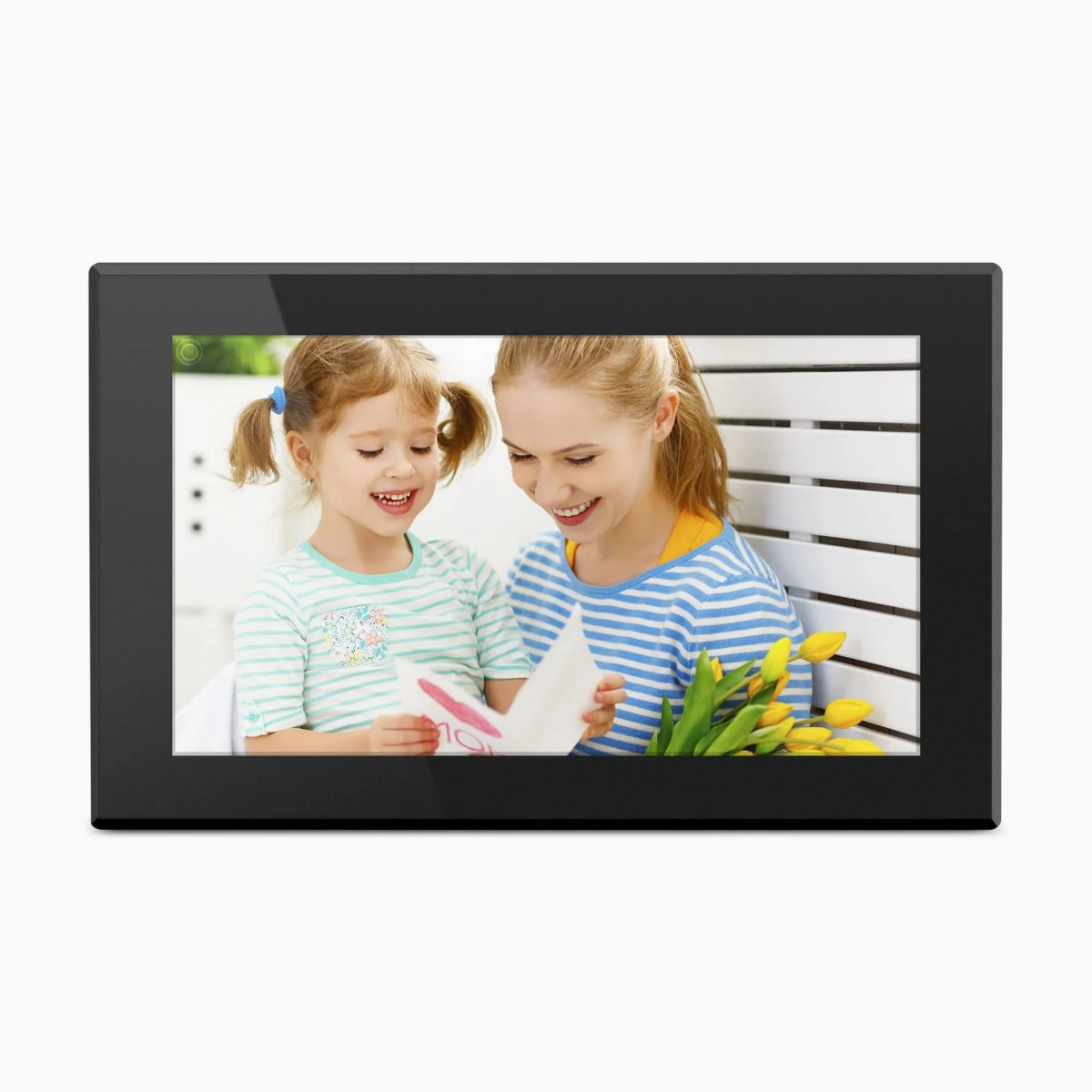
The Aluratek Digital Photo Frame turns itself on when you walk into the room. A motion sensor picks up movement up to 10 ft away 💾 and switches the display on and off, so it isn’t lit all day in an empty kitchen.
It takes photos from either direction. 32GB of built-in memory with USB and MicroSD expansion means a family can load a folder with no internet involved, and app and email sending both still work on top of that.
The rest is practical. A 15-inch IPS touchscreen runs with no subscription attached, the stand comes off for landscape, portrait or wall mounting, and clock, calendar, weather and alarm fill the gaps between photos through built-in speakers.
The screen is the compromise. 1024 × 768 across 15 inches is a noticeably lower pixel density than the 1080p and 1600 × 1200 frames here, and it shows up close. The app is one of the most common complaints owners raise, and viewing angle comes up separately — the picture looks worse from the side or down a hallway than it does head-on. Owners also mention automatic photo fitting behaving unexpectedly, a kickstand that doesn’t feel solid, an awkward power button position when wall mounted, and a USB port close enough to the bottom edge that longer drives foul the tabletop. It’s a sensible pick for someone who wants 15 inches, local storage and a motion sensor without premium pricing, as long as screen sharpness isn’t the priority.
Pros
Motion sensor switches the display on within 10 ft
32GB of built-in memory with USB and MicroSD expansion
15-inch IPS touchscreen with no subscription
App and email sending both supported
Clock, calendar, weather and alarm with built-in speakers
Cons
1024 × 768 across 15 inches looks soft up close
The app is one of the most common complaints owners raise
Viewing angle drops off from the side
Kickstand feels less solid and the power button sits awkwardly
USB port sits close to the bottom edge and fouls longer drives

Overall Grade
C
Rating
8.1/10
OVERALL ANALYSIS
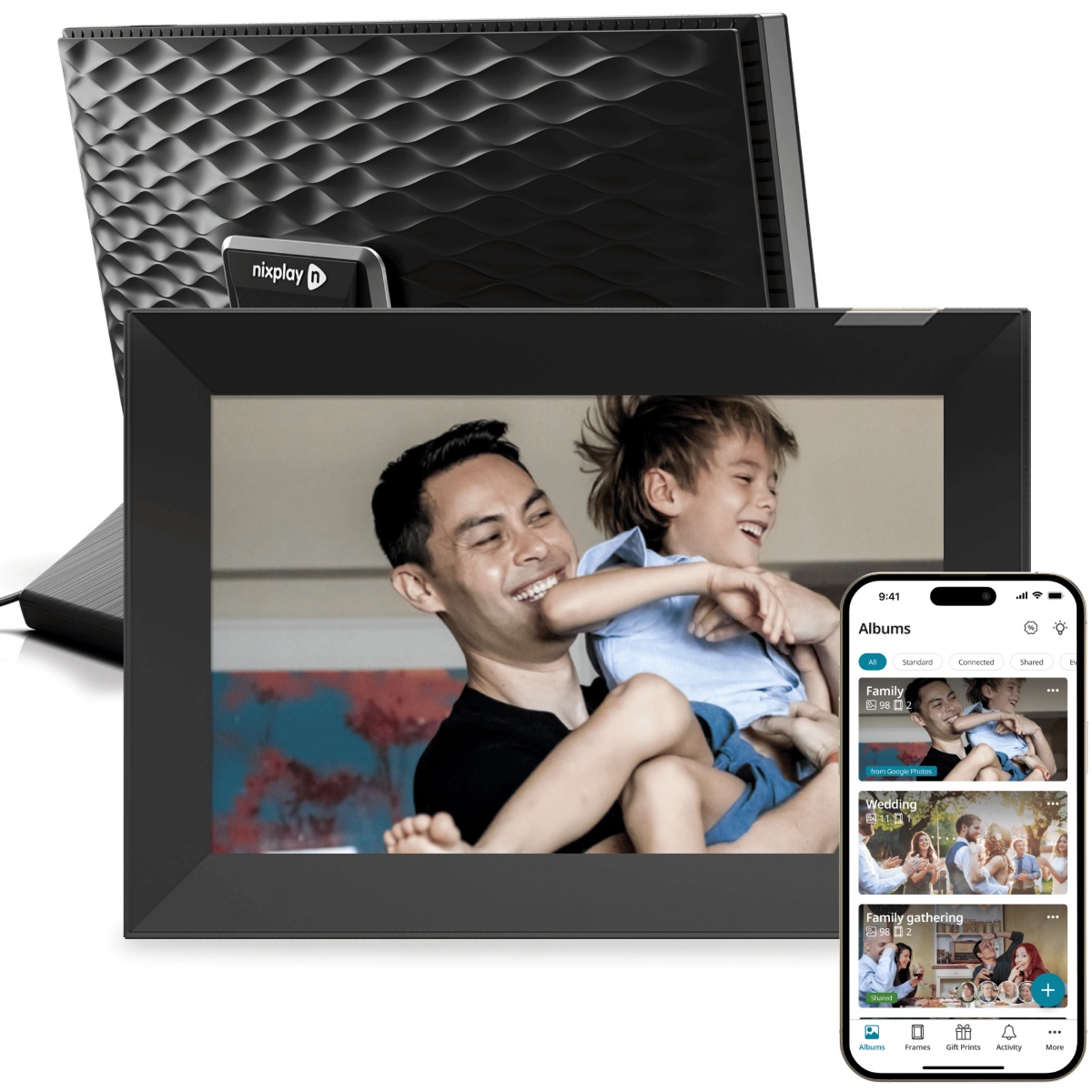
The Nixplay Digital Photo Frame is the one that plugs into a smart home. Alexa and Google home hub integration 🏠 sits alongside a mature app and web portal, with AI smart-centering that keeps faces inside the frame.
The screen is a desk size. The 10.1-inch IPS touchscreen runs 1280 × 800 at 400 cd/m², bright enough for a lit room, and auto-rotate plus a built-in speaker come as standard rather than as an upgrade.
It saves power on its own. A microphone activity sensor, stated as non-recording, switches the display on and off, and gift preload lets a sender fill the frame before it ever ships to the recipient.
The storage plan is the problem. Free storage is 500MB of photos and 500MB of videos — a cap an ordinary family reaches quickly — and anything past it, along with longer videos, needs a paid plan. Plan changes have caught out owners who expected more from the free tier than it provides. There’s no USB or MicroSD path, so nothing loads locally at all, and repeat reports cover Wi-Fi reconnection, resets and app faults. 500:1 contrast shows on darker photos. It’s a reasonable pick for someone already running a cloud photo library who wants smart-home integration, as long as the storage tiers work out for you.
Pros
Alexa and Google home hub integration
10.1-inch IPS touchscreen at 1280 × 800
Microphone activity sensor for automatic on and off
Gift preload with AI smart-centering
Cons
Free storage is 500MB of photos and 500MB of videos
Longer videos and more storage need a paid plan
Plan changes have caught out owners expecting more free storage
No USB or MicroSD, so nothing loads locally
500:1 contrast shows on darker photos
❓What Is a Digital Photo Frame?
A digital photo frame — a digital picture frame, in the other half of the listings — is a screen in a frame that cycles through your photos and, on most current models, takes new ones over Wi-Fi from anywhere. What separates them is the path a photo takes to get there. App-to-frame models have the sender manage everything in an app, and the recipient never touches a setting. Email-to-frame models give each frame its own address, so anyone can send without installing anything. Local-input models add USB or a memory card, so photos go on with no internet at all. Plenty of frames do two of the three, and the combination decides who in your family can actually use it.
The thing to work out early is who does the work. In most households one person becomes the photo administrator, and the frame goes to someone who won’t be managing anything — a parent, a grandparent, someone in assisted living. So ask: how many taps does it take you to send, does the recipient need an account of their own, can other relatives be invited to upload so it isn’t all on you, and does the frame keep working when the internet doesn’t.
Screen specs deserve more attention than the word HD on a box. Ask for resolution and screen size together — 1024 × 768 across 15 inches and 1280 × 800 across 10 inches are not the same picture, and the smaller one is sharper. Look for anti-glare treatment and a stated viewing angle if the frame will sit in a bright room or be seen from the side. Aspect ratio matters too: phone photos, camera photos and video are all shaped differently, and an automatic crop can take the edge of a face with it, so check for a fill, fit or manual crop choice.
Two costs get missed at checkout. The first is ongoing: check storage caps, video length limits, and whether albums, remote settings or photo-service syncing sit behind a plan — a free app doesn’t mean free forever, and terms have changed after launch before. The second is practical: nearly every large frame needs continuous power, so a wall mount means a cord unless you can run one inside the wall. And confirm what happens offline — a frame that keeps playing stored photos through a router reboot is a different thing from one that shows an error screen.
🎯 Key Features & Advantages: Digital Photo Frames
Photos Stop Living Only on Your Phone: The pictures you took and forgot about come back around instead of sitting in a camera roll.
Grandparents See the Kids Without Learning Anything: New photos appear on their counter, with no app to open and nothing to accept.
You Send Once Instead of Five Times: One upload reaches the whole family instead of the same batch going to five separate group texts.
Distance Shrinks a Little: Photos from a soccer game reach another household the same evening rather than at Thanksgiving.
The Gift Keeps Changing: Unlike a printed album, the frame is different next month because somebody else added to it.
One Frame Replaces a Shelf of Them: Years of photos rotate through a single digital picture frame instead of a dozen frames gathering dust.
Video Brings the Sound Back: A birthday clip with a voice in it lands differently than the same moment as a still photo.
It Earns Its Counter Space: Clock, weather and calendar between photos make it useful on an ordinary weekday too.
🔍 Smart Buying Guide: Digital Photo Frames
Count the Steps for Sender and Recipient Separately: The person uploading and the person watching need different things, and most frames are better at one than the other.
Ask for Resolution and Screen Size Together: A 15-inch digital picture frame at 1024 × 768 is softer than a 10-inch one at 1280 × 800, whatever the box says about HD.
Check What Happens When the Wi-Fi Drops: Frames with local storage keep playing; cloud-only frames may not, and routers reboot.
Read the Storage Cap Before the Feature List: Free tiers run from unlimited to a few hundred megabytes, and video eats through it far faster than photos.
Confirm Other Relatives Can Upload Too: If only one account can send, one person carries the whole thing and the frame goes quiet the month they get busy.
Look for a Local Input if You Have Old Photos: USB or a memory card is how a folder of scanned or vacation photos goes on without uploading them one by one.
Plan the Power Before the Wall Mount: Almost every large frame needs continuous power, so decide where the cord goes before you drill anything.
⚠️ Smart Shopper Alert: Digital Photo Frames
Reading Free App as No Future Cost: Storage tiers, video length and remote settings are all common paywalls, and terms have changed after launch before.
Treating HD as a Complete Answer: On a digital picture frame the word means nothing without the exact resolution and screen size together.
Assuming Auto-Crop Will Get It Right: Mixed aspect ratios get trimmed automatically, and a face near the edge of a photo is usually what goes.
Confusing Auto-Rotate With Auto-On: A gravity sensor fixes orientation; a motion or light sensor decides whether the screen is lit at all.
Believing Supports All Formats Without Testing: A container like MKV or AVI doesn’t guarantee every codec, resolution or bitrate plays, so test an important video first.
By Joss Hartley
Joss Hartley is a seasoned Home Tech Analyst with 5+ years of experience testing over 30 digital photo frames and family sharing devices. Specializes in performance evaluation of setups meant for parents and grandparents who don't want another app to learn.